
URDF for Multi-Robot Systems: Coordination and Communication Strategies
Why Standard URDF Breaks Under Multi-Robot Load
You inherit a project on a Tuesday morning. The lead engineer left two weeks ago. The deliverable is a multi-robot warehouse simulation: two UR5e arms on mobile bases, three TurtleBot3s for material transport, a Spot quadruped for inspection. You pull URDFs from five different GitHub repositories, hope the conventions align, and start integrating. By Wednesday afternoon, your TF tree shows ghost frames. By Thursday, RViz is rendering two base_link frames overlapping at the world origin and your joint state publisher is fighting itself across robots. Friday, you're maintaining manual URDF edits in a spreadsheet to track which mesh paths you've already rewritten.
This pattern is not a tooling failure. URDF multi-robot systems break for a structural reason: the format was designed to describe one robot, and the way most engineers extend it to N robots silently violates assumptions that ROS 2's TF buffer, joint_state_publisher, and sensor plugins all rely on. URDF itself isn't broken — but treating it as a single-robot file format and copy-pasting your way to a fleet is.
This guide walks through why standard URDF practices fail under multi-robot load, the three coordination patterns that hold up at scale, the XACRO authoring decisions that prevent corruption, and a verified workflow for assembling systems that scale past five robots without TF tree collisions.

Table of Contents
- Why Standard URDF Breaks Under Multi-Robot Load
- The Three Coordination Patterns That Actually Work
- XACRO Authoring Decisions That Prevent Multi-Robot Corruption
- What Pre-Tested Multi-Robot Compatible Means in Practice
- Sensor Fusion Architecture Where URDF Defines the Communication Contract
- From Single-Robot URDF to Coordinated Multi-Robot System
- Frequently Asked Questions
Why Standard URDF Breaks Under Multi-Robot Load
URDF was originally specified for single robot description. The format assumes one kinematic root, one namespace, one set of mesh paths, one joint state publisher. Multi-robot systems violate every one of these assumptions silently. The failures don't surface at load time as parser errors — they manifest as TF tree corruption, ghost frames, sensor topic crosstalk, and timing drift during runtime, often hours into a simulation.
Five specific failure modes account for most of the runtime collapses you'll see in a multi-robot ROS 2 stack.
Namespace collision in the TF tree. When two robots both declare /base_link, ROS 2's tf2_ros does not raise an error. The buffer's frame_id resolution treats the second declaration as an overwrite of the first. Subsequent lookup_transform calls return the wrong frame with no warning. You discover this when your motion planner sends robot_2's gripper to a pose computed against robot_1's base — and the trajectory looks plausible until execution.
Joint state publisher aggregation conflict. The standard joint_state_publisher node assumes one URDF on the parameter server. Two robots means two publishers writing to /joint_states on the same topic. The downstream consumer — RViz, MoveIt, your custom controller — receives interleaved, inconsistent state messages. Joint angles flicker between the two robots' values at the publisher's update rate.
Mesh URI resolution under absolute paths. URDFs that reference /home/user/robot_meshes/... break the moment you deploy to another machine. Even package:// paths fail if the package isn't properly indexed under your ROS 2 ament workspace. When you load N instances of a robot, every instance resolves the same path — fine until one machine has the package and another doesn't, and your CI pipeline gives no useful error message.
Sensor plugin frame_id leakage. Gazebo and Isaac Sim sensor plugins (camera, LiDAR, IMU) inherit frame IDs from the URDF directly. Without namespacing, robot_2's LiDAR publishes to /scan — same topic as robot_1. The fusion node receives merged, incoherent point clouds at twice the expected rate, and the symptom looks like sensor noise rather than a configuration error.
Multi-robot URDF failures rarely surface during load — they appear in the TF tree at 2 AM when your swarm's gripper publishes to the wrong frame.
Clock synchronization across heterogeneous models. Different URDFs declare different <gazebo> plugin update rates. Loaded together, simulation timing diverges — robot_1's joint controller runs at 1000 Hz while robot_2's runs at 250 Hz, creating frame-time drift that breaks coordinated motion planning. The drift compounds over a multi-minute simulation; the robots end up tens of milliseconds out of sync, and synchronized behaviors (handoffs, formation moves) fail unpredictably.
The contrast between treating each URDF as an independent file and treating the multi-robot system as a coordinated XACRO graph shows up across every dimension that matters operationally.
| Criteria | Independent URDF Loading | Coordinated Multi-Robot URDF |
|---|---|---|
| Namespace management | Manual prefix edits per file | Parameterized at xacro:include |
| Joint state publisher | One node per robot, conflicting topics | Aggregated reading namespaced topics |
| Sensor frame routing | frame_id collision risk | Inherited namespace prefixes |
| Simulation startup | Sequential, error-prone | Single launch file, parallel spawn |
| Debugging transparency | TF tree ambiguous, frames overlap | Distinct subtrees, traceable |
| Scale ceiling | Breaks at ~3-5 robots | Validated to 200+ in MAPF studies |
The 200-robot scale ceiling is not theoretical. According to research on warehouse coordination at scale published in IJCAI 2023, state-of-the-art Multi-Agent Path Finding algorithms have been validated coordinating up to 200 robots in optimized warehouse layouts, with layout optimization roughly doubling robot capacity compared to human-designed layouts. The architecture underneath those simulations relies on coherent coordinate systems — exactly what URDF defines.
The coordinated strategy is not "more code." It is less runtime debugging because failures shift from emergent (runtime TF corruption discovered at hour three of a 50-robot simulation) to structural (xacro syntax errors caught at parse time, in seconds). You trade a one-time investment in parameterized authoring for permanent elimination of the most common multi-robot failure class.
The Three Coordination Patterns That Actually Work
Most multi-robot URDF problems collapse to one of three coordination patterns. Choosing the right pattern before writing XML determines whether your system scales past the prototype phase. The patterns are not mutually exclusive — large systems often combine them — but each solves a distinct coordination problem and carries its own structural cost.
Pattern 1: Namespaced Robot Aggregation
Use case: Multi-arm manipulation cells, mobile-base + arm platforms, fixed-position robot fleets where each robot performs independent tasks in a shared workspace.
Mechanism: Each robot is wrapped in a unique namespace via xacro:include with an ns parameter. A parent URDF acts as the aggregator file. The result is a single TF tree with multiple isolated kinematic chains, each rooted at a namespaced base frame (robot_1/base_link, robot_2/base_link, and so on).
Code pattern:
<xacro:include filename="ur5e.urdf.xacro" ns="robot_1"/>
<xacro:include filename="ur5e.urdf.xacro" ns="robot_2"/>
<xacro:include filename="franka_panda.urdf.xacro" ns="robot_3"/>
Failure mode it solves: Namespace collision in the TF tree. Joint state publisher conflict.
Cost: Requires an aggregated joint_state_publisher (or per-robot publishers writing to namespaced topics). The parent URDF must declare static transforms positioning each robot in the shared world frame. You're committing to authoring discipline at the parent level — the payoff is that swapping a robot model becomes a single xacro:include change.
Pattern 2: Relative Frame Binding
Use case: UAV swarms, formation control, collaborative pick-and-place where robots move together rather than independently. Any system where geometric relationships between robots matter more than their absolute positions.
Mechanism: Robots are defined relative to each other instead of an absolute world frame. Static transforms capture formation geometry. Formation reconfiguration becomes a parameter update, not a code rewrite. This is the architectural pattern that makes layout optimization tractable — when robot positions are parameterized rather than hardcoded, you can search the configuration space programmatically. Research on warehouse layout optimization demonstrates that this approach can effectively double robot capacity in coordinated scenarios.
Code pattern:
<xacro:property name="formation_spacing" value="1.5"/>
<xacro:property name="formation_angle" value="${pi/3}"/>
<!-- follower transforms reference these properties -->
Failure mode it solves: Hardcoded position drift. Inability to reconfigure formation without rewriting URDFs.
Cost: Adds dependency between robot frames. If the leader robot's URDF fails to load, follower frames are orphaned. You're trading flexibility for fragility — well worth it for formation systems, dangerous for systems where one robot's failure shouldn't halt the others.
Pattern 3: Shared Sensor Fusion Model
Use case: Autonomous warehouses with distributed cameras, multi-agent reinforcement learning training environments, centralized model predictive controllers (MPC) that need a unified world view.
Mechanism: A single URDF describes sensors mounted across multiple robots — distributed camera network, LiDAR fence, IMU array. Each sensor publishes to coordinated, namespaced TF frames. A centralized state estimator reads all of them without duplicating sensor models. The real-world parallel: an MIT research team's adaptive prioritization system achieved roughly 25% throughput improvement in warehouse simulations by combining coordinated perception with priority-aware planning. That architecture depends on every robot's sensor data resolving to a shared coordinate system — the URDF's job.
Failure mode it solves: Sensor topic crosstalk. Inability to do centralized fusion across heterogeneous robots.
Cost: Tight coupling. All robots must agree on a shared world frame. Partial failures cascade — if the fusion node goes down, every robot loses centralized perception simultaneously. This pattern works best when you have a reliable supervisor and a tolerable single point of failure.

In practice, large systems combine patterns. A warehouse with 20 mobile robots and 4 manipulator arms might use Namespaced Aggregation for the fleet structure, Shared Sensor Fusion for the overhead camera network, and Relative Frame Binding for the manipulator arms that hand off to each other. The decision is not which pattern to pick globally — it's which pattern applies to which subsystem of your URDF multi-robot system.
XACRO Authoring Decisions That Prevent Multi-Robot Corruption
Pattern choice is necessary but not sufficient. The XACRO authoring decisions below determine whether your pattern survives contact with a 5+ robot system. Each decision corresponds to a failure mode observed in real ROS 2 deployments, and each one is the kind of detail that gets skipped under deadline pressure — then surfaces three weeks later as an unreproducible bug.
- Parameterize namespace at include time, never hardcode in the child URDF. Use
<xacro:include filename="single_robot.urdf.xacro" ns="${robot_id}"/>so the same source file loads cleanly asrobot_1,robot_2,robot_n. Hardcoded namespaces force you to maintain N copies of the same URDF — a maintenance trap that accumulates inconsistencies as the catalog grows. One copy gets a bug fix; the others don't. - Separate kinematic chains from static transforms in file structure. Child robot URDFs define only their own kinematic trees. The parent URDF owns all
<static_transform_publisher>blocks positioning robots in the world. This separation means swapping a robot model doesn't require rewriting world geometry — the parent is the integration layer, and the children stay portable. - Use xacro properties for spacing and offset values. Define
<xacro:property name="robot_spacing" value="1.5"/>once in the parent URDF. Formation geometry edits happen in a single line, not scattered across N transform declarations. Critical for the Relative Frame Binding pattern, but useful in every multi-robot context. - Enforce package:// notation for every mesh and texture URI. Absolute filesystem paths break the moment you deploy to another machine or load a second robot instance. Verified URDF catalogs follow
package://robot_name/meshes/...notation by default; check any external models against this standard before integration. The audit takes ten minutes; the alternative is debugging path errors across CI machines for a week. - Aggregate joint state publishers — don't run N parallel instances. The standard
joint_state_publisherwill fight itself across robots. Either run per-robot instances writing to namespaced topics (/robot_1/joint_states,/robot_2/joint_states) and aggregate downstream, or write a custom aggregator node that subscribes to all namespaced topics and republishes a unified/joint_states. The default single-node configuration silently corrupts state across robots, and the symptom — flickering RViz visualization — looks like a rendering bug, not an architecture bug. - Inherit parent namespace on every sensor frame_id. A camera mounted on robot_1's gripper must publish to
/robot_1/gripper/camera_frame, not/camera_frame. Gazebo and Isaac Sim sensor plugins inherit frame_id from URDF declarations directly — namespace prefix omission is the most common cause of sensor topic crosstalk in multi-robot deployments. Audit sensor frame_ids the same way you audit mesh paths: every one, every time.
The difference between a multi-robot system that works and one that corrupts is usually a single missing namespace prefix on a sensor frame.
- Document collision geometry separately from visual meshes. Multi-robot collision detection requires lightweight collision meshes — typically 10-100x lower polygon count than visual meshes. Verified models specify which
<collision>blocks are simplified; rolling your own without this distinction means inter-robot collision checks run at single-digit frame rates instead of the 100+ Hz needed for real-time coordination. In practice, this is the difference between a manipulation cell that detects imminent collisions and one that discovers them after impact.
These seven decisions compound. A model that follows all seven slots into any multi-robot architecture without modification. A model that violates two or three becomes the bottleneck of your integration timeline — you spend more time fixing one URDF than building the rest of the system.
What Pre-Tested Multi-Robot Compatible Means in Practice
When you source a URDF from a scattered GitHub repository, you inherit unknown technical debt: untested xacro:include compatibility, absolute paths, undocumented sensor frames, missing collision geometry, license ambiguity. Verification pipelines exist precisely to address these gaps — and "pre-tested for multi-robot use" is a meaningful claim only if it covers each one explicitly.
Six concrete things "pre-tested" should mean before you trust a model in a fleet context.
xacro:include compatibility verified. Every model in URDF Hub's catalog has been loaded under namespaced xacro:include with parameter substitution. No surprises when you load a third or fifth instance. The contrast with most GitHub-hosted URDFs is stark: those models have typically only ever been tested as single-robot loads. Whether they survive parameterized inclusion is unknown until you try, and the failure mode is silent.
Mesh and sensor URIs validated as package-relative. Every path uses package://robot_name/meshes/... notation, validated against ament index resolution. Multi-robot instances don't collide on filesystem lookups, and deployment across machines doesn't require path rewriting.
Joint limits and collision geometry documented. Critical for multi-robot safety checks — detecting when robot_1's arm enters robot_2's workspace requires accurate joint limits and simplified collision meshes that can be checked at 100+ Hz. Documentation specifies which meshes are collision-enabled versus visual-only. The distinction determines whether inter-robot collision detection runs at usable frame rates or becomes a simulation bottleneck.
ROS 2 launch file templates ship with each model. Examples demonstrate the namespace aggregation pattern working in practice — joint_state_publisher_gui aggregating /robot_1/joint_states plus /robot_2/joint_states cleanly. Compatibility tested against ROS 2 Humble, Iron, and Jazzy means you don't discover at integration time that the model only works on one distro.

Pre-tested URDF catalogs eliminate the integration guessing game — when every model has been validated for xacro:include, collision geometry, and ROS 2 namespacing, you spend two days building your system, not two weeks debugging it.
Cross-simulator validation. A UR5e plus Franka Panda plus TurtleBot3 scenario is more realistic than "single robot in Gazebo." Models validated across Gazebo, NVIDIA Isaac Sim, PyBullet, and MuJoCo let you commit to a stack knowing cross-simulator behavior is consistent. The alternative — discovering at hour 30 that your URDF works in Gazebo but the Isaac Sim sensor plugin chokes on a deprecated tag — is the kind of debugging that consumes weeks.
MIT and Apache 2.0 licensing across the catalog. No IP friction when you're building multi-robot systems that may transition between research and commercial use. License verification at the catalog level avoids the trap of finding out, three months into a product, that one of your foundation models was licensed for non-commercial use only.
The competitive landscape clarifies what verification means in context. Gazebo's model database has strong single-robot coverage but no published multi-robot coordination examples. MuJoCo Menagerie offers excellent physics fidelity but limited ROS 2 integration. Repository-style sources like ankurhanda/robot-assets and Daniella1/urdf_files_dataset aggregate models without verification — useful as starting points, but each model still requires individual integration testing. The operational value of a verified catalog is the integration time you don't spend, which compounds as your robot count grows.
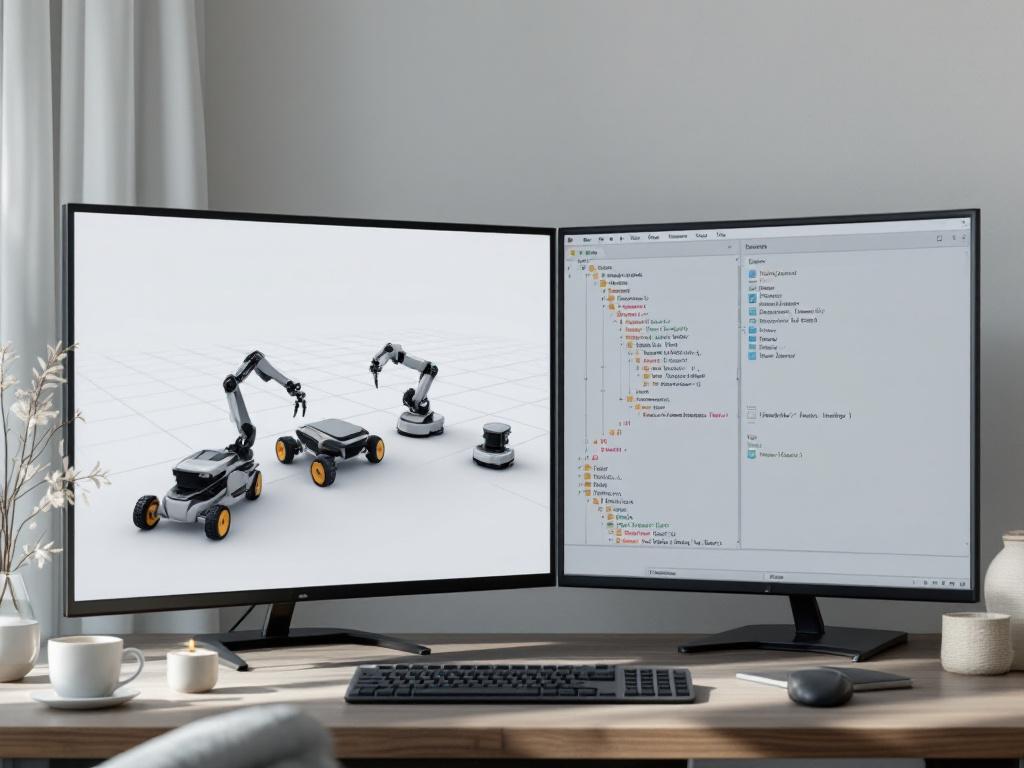
The broader market context reinforces the value: research on coordinated multi-robot systems has demonstrated roughly 25% throughput improvements when the coordination architecture is sound. That throughput gain depends entirely on the underlying URDFs declaring consistent frames, namespaces, and sensor topics. Pre-testing is not a convenience feature — it's the precondition for any quantified coordination benefit.
Sensor Fusion Architecture Where URDF Defines the Communication Contract
URDF doesn't transport data between robots — that's the job of ROS 2 middleware (DDS), MQTT, or custom bridges. But URDF defines the coordinate system contract that every communication layer must respect. Three sensor fusion architectures dominate multi-robot systems, and each has a different relationship to URDF.
| Pattern | URDF Role | Communication Model | Best For |
|---|---|---|---|
| Centralized Perception | Single URDF declares all sensor frames | All sensors → one fusion node | Warehouses, MPC control |
| Agent-Local + Global Registration | Per-robot URDFs + parent registration | Local observations transformed to global | Decentralized swarms, multi-agent RL |
| Peer-to-Peer TF Synchronization | Local frames + peer offset transforms | Each robot publishes own TF; bridge aligns | Collaborative manipulation, formation |
URDF as coordination contract, not communication medium. The table reveals that URDF doesn't handle data routing — it defines the coordinate system contract that communication nodes must respect. Documented sensor frames mean your communication layer doesn't have to guess frame IDs. This is the difference between "the camera publishes to some frame" and "the camera publishes to robot_1/camera_link per the URDF spec, and we know this at compile time." That distinction collapses an entire class of integration bugs — the kind where your fusion node subscribes to a frame that doesn't exist because the URDF author and the fusion node author disagreed about naming conventions.
Sensor URI resolution under multi-robot load. When Gazebo loads a multi-robot URDF, sensor plugins (camera, LiDAR, IMU) must resolve their frame IDs. Models with consistent naming (robot_name/sensor_name) let your fusion node auto-subscribe based on URDF parsing — no hardcoded sensor lists in your fusion code. This pattern scales: research has shown coordinated multi-robot systems handling up to 200 robots when the underlying coordination architecture is well-defined. The bottleneck at that scale is rarely the algorithm; it's whether every sensor frame can be resolved deterministically from the URDF graph.
Practical example — TurtleBot3 swarm with centralized perception. A verified TurtleBot3 URDF documents the base_scan LiDAR frame. When you aggregate 5 TurtleBot3 instances under namespaces, each publishes to /robot_1/base_scan, /robot_2/base_scan, and so on. Your fusion node parses the multi-robot URDF, discovers these frame names through xacro expansion, and auto-subscribes. Without URDF-level coordination, you'd hardcode sensor names in your fusion node — and break the moment you scale from 5 robots to 10. The contract-first approach is what the implementation checklist below operationalizes.
There's a subtler implication for URDF communication strategies in distributed teams. When the URDF is the contract, the contract is reviewable. A pull request that changes a sensor frame_id is visible to everyone touching the fusion node, the planner, the controller. When sensor frames live as magic strings inside Python files scattered across a repository, contract changes happen invisibly — and the breakage shows up at integration, not at review. Treating URDF as the authoritative source for coordinate system definitions is partly a technical decision and partly a team coordination decision. Both pay off as the system grows.
Inter-robot communication models in the broader literature — multi-robot warehouse control studies describe wireless data sharing (Wi-Fi, Bluetooth) as the standard medium, with coordination logic layered on top. URDF sits beneath that logic, defining what "position" and "frame" mean across the fleet. Get the URDF contract right, and the communication layer becomes a matter of choosing a transport. Get it wrong, and no transport choice will save you.
From Single-Robot URDF to Coordinated Multi-Robot System
This checklist sequences the work. Skipping phases is the fastest path to TF tree corruption at runtime. Each phase gates the next — don't proceed until the current phase validates.
Phase 1 — Pre-Integration
- Select robot models from a verified source. Use a peer-reviewed catalog. Verify ROS 2 version compatibility (Humble, Iron, or Jazzy) and confirm xacro:include compatibility is tested. Mixing untested community models with verified ones is a common debugging trap — one untested model becomes the integration bottleneck for the entire fleet.
- Document sensor frame names per robot. List every frame each robot publishes — for example,
robot_1/camera/color_frame,robot_1/imu_frame,robot_1/base_scan. This list becomes your sensor fusion node's subscription contract. If you can't write the list, you don't yet understand the URDF you're integrating. - Identify your coordination pattern. Namespaced Aggregation, Relative Frame Binding, or Shared Sensor Fusion. Write the choice down — it shapes every subsequent decision, and switching mid-integration costs you days.
Phase 2 — URDF Authoring
- Create the parent URDF. One top-level file that xacro:includes each robot with distinct namespaces. This file is the authoritative aggregator and the only place where multi-robot composition lives.
- Define static transforms in the parent file. For each robot, add a
<static_transform_publisher>block defining position relative to world (or relative to another robot for formation patterns). Don't scatter these across child URDFs. - Parameterize spacing with xacro properties.
<xacro:property name="robot_spacing" value="1.5"/>— single source of truth for formation geometry. When the spec changes (and it will), you edit one line. - Verify all paths use package:// notation. Audit every
<mesh filename="...">and sensor texture URI. Absolute paths fail silently when scaling beyond one robot. Treat the audit as a hard gate — don't move to integration until every path is package-relative.
Phase 3 — ROS 2 Integration
- Test single-robot launch in isolation. Confirm one robot loads cleanly in RViz with all frames present and no namespace warnings. Don't proceed until this baseline holds. If a single robot won't load cleanly, two won't either.
- Test two-robot launch. Add a second instance under a distinct namespace. Verify the TF tree shows two separate subtrees with no cross-talk between
/robot_1and/robot_2. This is the diagnostic that catches namespace inheritance bugs early. - Implement aggregated joint_state_publisher. Either per-robot instances writing to namespaced topics, or one custom aggregator. Validate that RViz and MoveIt receive coherent state. Flickering visualization at this stage means the aggregator isn't wired correctly.
- Validate sensor TF reachability. For each sensor frame, confirm
tf2_roslookup succeeds:lookup_transform("world", "robot_1/camera_frame", time). Failed lookups indicate broken frame inheritance. Run this check programmatically across every sensor frame — manual verification doesn't scale past three robots.
Phase 4 — Scale Validation
- Simulate coordinated motion. Move one robot; confirm the other robots' frames remain static relative to world. Frame leakage means namespace inheritance is broken somewhere in the chain. The bug is almost always a missing namespace prefix on a single transform declaration.
- Scale to 5+ instances and measure. Monitor memory, TF latency, and ROS 2 middleware throughput. URDF complexity should scale linearly with robot count. Research on optimized multi-robot coordination demonstrates viable scaling to 200+ robots when the architecture is sound. If your latency curve goes superlinear at 5 or 10 robots, the problem is structural — back up to Phase 2 and audit the parent URDF.
The phases compound. A team that completes all four ends up with a multi-robot system whose failure modes are deterministic and reproducible — when something breaks, you know where to look. A team that skips Phase 2 and rushes to integration ends up with a system whose failures are emergent, irreproducible, and discovered in production at the worst possible time.
Frequently Asked Questions
How do I handle clock synchronization when robots run on different machines?
ROS 2 uses DDS time synchronization by default, which works for most single-machine simulations. For distributed multi-machine setups, configure use_sim_time consistently across all nodes — inconsistent settings are a common cause of "robots that should be coordinated but aren't." For real robots running on separate hardware, use Chrony or PTP for hardware-level time sync; sub-millisecond accuracy is achievable on a wired LAN. URDF doesn't directly handle clock sync, but the sensor plugin update rates declared in the URDF should match across all machines. Mismatched rates produce the timing drift described in the failure modes section, and the symptom — robots gradually falling out of formation over a long simulation — looks like a control problem when it's really a configuration problem.
What if I need to dynamically add or remove robots at runtime?
URDF is loaded at launch time and not designed for hot-swap. Workarounds exist but require explicit architecture choices. ROS 2 lifecycle nodes per robot let you bring individual robots up and down without restarting the system. Spawning robots into Gazebo via service calls (/spawn_entity) supports runtime addition, but the new robot's TF tree must be set up correctly at spawn time — namespace coordination becomes a runtime concern. A common pattern is pre-declaring maximum robot count in the parent URDF with conditional <xacro:if> blocks and activating robots as needed. Dynamic robot addition remains an active research area; if your application requires it, factor that requirement into your coordination pattern choice from day one rather than retrofitting later.
Does URDF handle inter-robot constraints — for example, a cable or rigid link between two arms?
URDF assumes tree-structured kinematics with one root, so closed kinematic chains (a cable, a shared payload between two arms, a deformable connector) are not natively supported. The format simply can't express "joint A is connected to both robot_1 and robot_2." Workarounds: SDF format supports kinematic loops natively and integrates well with Gazebo. Gazebo plugins can enforce constraints at the simulation level — a constraint plugin tying two end effectors together approximates a rigid link. For analytical work, MuJoCo XML or custom constraint solvers handle closed chains better than URDF can. Most verified URDF catalogs focus on tree-structured robots for exactly this reason; closed-chain systems require format choices beyond URDF, and pretending otherwise produces simulations that look right but compute incorrect dynamics.