
Robot Designs 101: A Complete Visual Guide to Modern Robotics Architecture
Robot Designs 101: A Complete Visual Guide to Modern Robotics Architecture
You downloaded the UR5e URDF yesterday. It loaded in Gazebo on the first try, the arm rendered correctly, and the joint sliders moved the way you expected. Then you opened the XML — 200+ lines of nested <link> and <joint> blocks, inertia tensors with six-decimal precision, mesh paths pointing at files you've never inspected. You can use it. You can't read it.
Then the failure: your reinforcement learning agent crashes mid-episode. The error log says NaN in the inverse kinematics solver. You don't know whether the fault is geometry, mass distribution, joint limits, or a broken frame in the TF tree. You restart the run with a different seed. Same crash, different episode.
This guide maps the why behind robot designs so you can read a URDF the way you read code, recognize trade-offs between design families before you commit to a model, and diagnose simulation failures by working backward from symptom to design decision. Five design families, four design constraints, one URDF schema — that's the whole map.
Table of Contents
- The Four Design Constraints That Shape Every Robot
- Comparing the Five Core Robot Design Families
- Anatomy of a URDF: Mapping XML Tags to Physical Behavior
- Diagnosing When Robot Designs Break Simulations
- Design Trade-offs You Control When Choosing a Robot Model
- A 10-Point Pre-Integration Audit for Any Robot Model
- FAQ
The Four Design Constraints That Shape Every Robot
Every robot design — whether a 7-DOF collaborative arm or a quadruped chasing a moving target — is a negotiation between four competing constraints. Read any URDF carefully enough and you can reverse-engineer how the original designer balanced them.
- Degrees of Freedom and Task Specificity. DOF is the count of independent axes a robot can move along. A 6-DOF arm — the UR5e, the KUKA KR series, the ABB IRB family — can reach any position and orientation in its workspace. Six is the mathematical minimum for full pose control in 3D Cartesian space. A 7-DOF arm like the Franka Panda or the KUKA iiwa 14 adds kinematic redundancy: the elbow can swing through space while the end-effector holds a fixed pose, which matters for obstacle avoidance and human-collaborative workflows. A palletizer needs only 4 DOF because it never tilts its payload — adding axes would add cost without adding capability. In a URDF, every non-
fixedjoint contributes one DOF, so the<joint>count maps directly to the kinematic envelope. The official URDF joint specification defines six joint types; onlyfixedjoints contribute zero DOF. - Payload, Speed, and Precision. The classic trilemma. Higher payload requires heavier links, which raises inertia, which forces slower acceleration to maintain precision. The UR5e is rated for a 5 kg payload with ±0.03 mm repeatability according to Universal Robots. The KUKA KR 1000 titan handles 1000 kg but trades agility — its cycle times are an order of magnitude slower than a lightweight cobot. In URDF, this trilemma surfaces in the
<inertial>mass values and the<limit effort="..." velocity="..."/>attributes. Those numbers aren't arbitrary; they encode the physical envelope of the real hardware. If you change them, you're not tuning a simulation — you're describing a different robot. - Workspace Geometry and Singularities. Workspace is the reachable volume. Singularities are configurations where the Jacobian loses rank and the robot loses controllability in one direction — typically wrist-aligned, elbow-extended, or shoulder-overhead. A 6-DOF arm has three classical singularity types; a 7-DOF arm can move through singularities by reconfiguring the redundant joint. In simulation, this matters because an RL agent that doesn't know about singularities will drive the arm into them repeatedly and return NaN errors from the IK solver. The canonical treatment is Siciliano et al., Robotics: Modelling, Planning and Control, Springer — every roboticist who works with manipulators in simulation should know which configurations the model cannot escape.
- Stability and Center of Mass. For mobile bases and legged platforms, the center of mass must stay over the support polygon — the convex hull of contact points. TurtleBot3 Burger has a wide wheelbase (160 mm according to the ROBOTIS specification) and a low COM, which makes it forgiving. A humanoid's support polygon shrinks to a single foot during walking, demanding active balance control at every timestep. In URDF, COM is set by the
<origin>of each link's<inertial>tag — and a wrong COM is the single most common cause of "robot falls over for no reason" in Gazebo.
These four constraints sort robots into recognizable families. The next section enumerates them.
Comparing the Five Core Robot Design Families
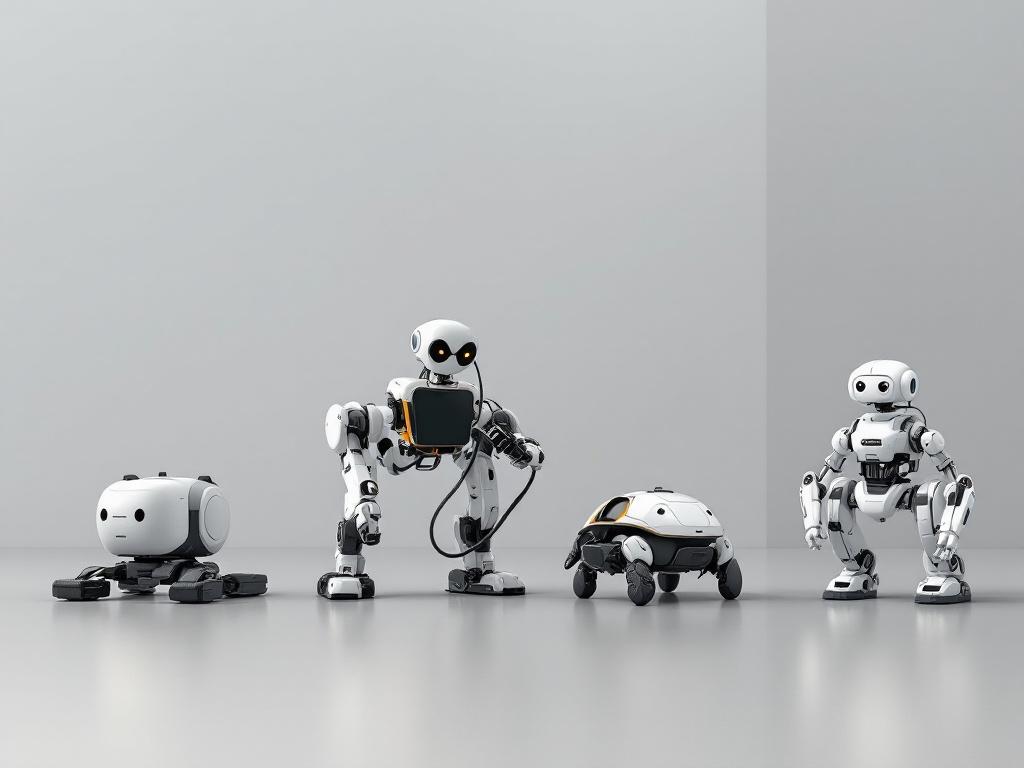
Most simulation work in 2025 lives inside five recognizable robot design families. When you pick a model from a URDF repository, you're not really picking a model — you're picking a family, and the family decides your simulation cost, your training tractability, and your realism ceiling before you've written a line of launch code.
| Design Family | Typical DOF | Payload Range | Primary Task | Sim Complexity |
|---|---|---|---|---|
| Industrial Arm | 6 | 3–1000 kg | High-precision pick-and-place | Medium |
| Collaborative Arm | 7 | 3–14 kg | Human-adjacent manipulation | Medium |
| Mobile Base | 2–4 (wheels) | <50 kg | Navigation, inspection | Low |
| Quadruped | 12 | 5–14 kg | Rough terrain locomotion | High |
| Humanoid | 20–40+ | Variable | Whole-body manipulation + locomotion | Very High |
Representative models per family: Industrial — KUKA KR series, ABB IRB, Fanuc M-series. Collaborative — Franka Panda, KUKA iiwa 14, UR5e. Mobile — TurtleBot3, Clearpath Husky, Jackal. Quadruped — Boston Dynamics Spot, ANYmal, Unitree Go. Humanoid — Atlas, Digit, HRP-series.
The robot design family you pick determines not just what your simulation looks like, but how fast it runs and how trainable it is.
Three practitioner questions worth asking before you commit:
Which family does your domain default to, and why? Manipulation researchers default to 7-DOF collaborative arms because force-feedback joints and safety-rated firmware match the hardware they have in their lab. RL locomotion researchers default to mobile bases and quadrupeds because the action space is small enough to parallelize across hundreds of simulation instances. Industrial automation engineers default to 6-DOF arms because that's what their customers buy.
Where does simulation cost explode? A 6-DOF arm runs at real-time-or-faster in Gazebo on a modern multi-core CPU. A 20-DOF humanoid with contact-rich locomotion can drop below 0.3× real-time on the same hardware, which kills RL throughput. This is a kinematic-complexity scaling problem, not a tuning problem — you cannot configure your way out of it. The fix is either parallelization (Isaac Sim, MuJoCo with vectorized environments) or accepting that wall-clock training takes days instead of hours.
Which family is the wrong choice if you skip the homework? Humanoids and legged platforms. Their dynamics demand validated inertia tensors and small simulation timesteps — 1 ms or below is standard. A mis-tuned URDF will diverge within seconds of simulation time, producing the classic "robot launches itself into orbit" failure. Mobile bases and 6-DOF arms tolerate much sloppier parameters and still produce believable behavior.
Anatomy of a URDF: Mapping XML Tags to Physical Behavior
A URDF is five components, each of which corresponds to something physical the robot does or has. Get the XML right and the simulation respects Newtonian mechanics. Get it wrong in any single component and the failure modes range from quietly inaccurate to spectacularly divergent.
<link>— Visual Mesh vs. Collision Mesh. A<link>is a rigid body. It carries up to three children:<visual>(the pretty mesh you see in RViz),<collision>(the simplified mesh the physics engine uses for contact resolution), and<inertial>(mass and inertia tensor). The practitioner-critical point: visual meshes are often 50,000+ triangles for photorealism; collision meshes should be 200–2,000 triangles, ideally convex primitives or convex decompositions. Using the visual mesh as the collision mesh tanks Gazebo FPS and produces non-physical contact behavior — interpenetration, jittering, and contact forces that spike to infinity.<link name="shoulder_link"> <visual><geometry><mesh filename="shoulder.dae"/></geometry></visual> <collision><geometry><mesh filename="shoulder_collision.stl"/></geometry></collision> <inertial>...</inertial> </link>See the URDF link specification for the full schema.
<joint>— Type Determines DOF Contribution. Six joint types exist:revolute(rotates between limits),continuous(rotates without limit — wheels),prismatic(slides between limits),fixed(welds two links together — contributes zero DOF),floating(six DOF, used for free-base robots), andplanar. The choice ripples through the entire control stack: arevolutejoint requires<limit lower="..." upper="..." effort="..." velocity="..."/>and gives MoveIt usable IK targets. Acontinuousjoint breaks any joint-limit-aware planner. Usefixedaggressively for sensor mounts — everyfixedjoint you collapse removes one solver step per timestep.<joint name="elbow_joint" type="revolute"> <parent link="upper_arm_link"/> <child link="forearm_link"/> <limit lower="-3.14" upper="3.14" effort="150" velocity="3.15"/> </joint>The URDF joint specification lists every attribute.

<inertial>— The Invisible Layer That Decides Stability. The<inertial>block carries<mass>,<origin>(the COM location relative to the link frame), and<inertia ixx="..." iyy="..." izz="..." ixy="..." ixz="..." iyz="..."/>— a 3×3 symmetric tensor with six unique values. Physics engines integrate Newton-Euler equations using these numbers, and wrong values produce nonphysical motion. A common failure mode: a model author copies a placeholderixx="0.001"across every link to suppress URDF parser warnings. The result is a robot that looks correct geometrically but accelerates like a balloon — joint controllers overshoot, contacts spring open, and gravity barely affects motion. Extract inertia from CAD (SolidWorks, Fusion 360, Onshape) where possible, or compute analytically from primitive geometry. Featherstone's Rigid Body Dynamics Algorithms is the standard reference for how these tensors propagate through the simulation step.
A URDF with correct geometry but wrong inertia will move like a ghost — physics-engine-wise, it does not exist.
<limit>— The Boundaries Your RL Agent Will Try to Break.<limit>carries four attributes:lowerandupper(position, in radians for revolute joints),effort(max torque or force), andvelocity(max joint speed). These four numbers define the trainable action space. Ifeffortis unbounded, your RL agent will learn policies that command 10,000 Nm of torque — policies that won't transfer to any real motor ever built. Iflowerandupperare too permissive, the agent will drive joints through self-collision configurations and learn that self-collision is a valid path to reward. Sanity-check every limit against the manufacturer datasheet before training. If the datasheet says the wrist torque is 28 Nm, the URDF should say 28 Nm.
Joint limits are invisible constraints, but in simulation they are the difference between a trainable policy and one that learns to exploit the solver.
Sensor Frames and the
base_linkHierarchy. Sensors attach via afixedjoint to a parent link. The TF tree must form a single connected acyclic graph rooted atbase_linkfor arms, orbase_footprintfor mobile platforms. A disconnected sensor frame produces the classic "no transform from camera_link to base_link" error in RViz — by far the most common URDF symptom new users encounter. Validate the tree before you ever launch the simulator:check_urdf model.urdfparses the XML and verifies the kinematic chain, andurdf_to_graphizgenerates a visual graph of the hierarchy. Both ship with theliburdfdom-toolspackage documented at the urdfdom wiki.
Diagnosing When Robot Designs Break Simulations
Most simulation failures map to one of five recurring symptoms. Each has a narrow set of root causes that trace back to specific URDF design parameters. Working symptom-to-cause-to-diagnostic-to-fix is faster than reading the entire model line by line.
- Robot bounces, jitters, or accelerates unrealistically. Symptom: the robot vibrates at rest, or a joint snaps from minimum to maximum in a single timestep. Root cause: inertial parameters are placeholder values (
ixx="1e-3"repeated across every link) and don't reflect the link's actual mass distribution, or the physics timestep is too large for the stiffness of the joint controller. Diagnostic: in Gazebo, set<max_step_size>0.001</max_step_size>in the world SDF and watch for stabilization. Useros2 topic echo /joint_statesto see velocity spikes the moment they happen. Fix: recompute inertia from CAD geometry or primitive approximations (cylinder, box) sized to the link; reduce the simulation timestep to 1 ms; tune controller gains downward if the controller is fighting the integrator. - Robot passes through objects or the floor. Symptom: collision mesh is visible in RViz, but the robot clips through the ground plane or through a manipulated object. Root cause: the
<collision>block is missing from one or more load-bearing links, or<contact_coefficients>are set to unrealistic values, or thebase_linkorigin spawns below the floor mesh. Diagnostic: in Gazebo, toggle "View → Collisions" to render the collision geometry alongside the visual mesh — gaps and missing pieces become obvious immediately. Fix: ensure every load-bearing link has a<collision>block (not just the visually prominent ones); verify the spawn pose offsets the base above any environmental geometry. - Arm locks up mid-trajectory. Symptom: the MoveIt planner returns "no IK solution found," or the arm freezes at a specific configuration during execution. Root cause: a kinematic singularity (wrist-aligned, elbow-extended, shoulder-overhead) or
<limit>boundaries that are inconsistent with the requested end-effector pose. Diagnostic: visualize the joint state at the moment of failure; check whether two adjacent joint axes are colinear, which marks a wrist singularity. Plot the manipulability index along the planned trajectory — sharp drops to near-zero are singular configurations. Fix: add intermediate waypoints that route around the singular configuration, or switch to a 7-DOF model if kinematic redundancy is required for the task. - Mobile base drifts or tips on acceleration. Symptom: a TurtleBot3 rotates slowly without command input, or a tall mobile manipulator tips over when commanded to accelerate. Root cause: COM offset is wrong in
<inertial><origin>(often inherited from a CAD export where the origin convention differed), wheel friction coefficients are asymmetric between left and right, or the<gazebo>plugin parameters for the differential drive controller don't match the wheel separation declared in the URDF. Diagnostic: visualize the TF tree withros2 run tf2_tools view_framesand inspect COM positions relative to wheel contact points. Fix: validate mass distribution against the measured robot if possible; symmetrize friction coefficients; cross-check wheel separation between URDF and controller config. - Sensor data points the wrong direction. Symptom: the camera image is rotated 90 degrees, the lidar scan is mirrored, or depth points appear behind the robot instead of in front of it. Root cause: the sensor frame
<origin rpy="..."/>uses the wrong convention. Sensor optical frames use Z-forward by convention; ROS body frames use X-forward. Diagnostic: open RViz, enable the TF display, and compare the sensor frame's red/green/blue axis triad to the expected orientation. Fix: add an_opticalchild frame with the standard rotationrpy="-1.5708 0 -1.5708"between the body frame and the optical frame. The canonical conventions are documented in ROS REP 103 for axis conventions and ROS REP 105 for mobile platform frames.
Design Trade-offs You Control When Choosing a Robot Model
Two URDFs of the same physical robot — say, a UR5e pulled from one GitHub repository and a UR5e pulled from another — can behave completely differently in simulation. The differences live in six parameters that the original model author chose, and that you, the downloader, inherit by default. Auditing those six parameters before integration takes less time than debugging a misbehaving training run.
| Design Parameter | Perception Research | RL Policy Training | Manufacturing Sim |
|---|---|---|---|
| Visual mesh fidelity | High | Low | Medium |
| Collision mesh fidelity | Medium | Medium | High |
| Inertial accuracy | Medium | High | High |
| Joint limit accuracy | Low | High | High |
| Sensor configuration | High | Medium | High |
| TF tree depth | Low | Medium | Medium |
The matrix sorts into three reading prescriptions, one per audience.
If you're training RL policies: prioritize inertial accuracy and joint limits over mesh fidelity. A policy trained against placeholder inertia values will not transfer to real hardware — the dynamics it learned to exploit don't exist outside the simulator. A policy trained against unbounded joint effort will exploit the unbounded effort, producing motor commands no real servo can execute. The sim-to-real literature is consistent on this point: see Tobin et al., "Domain Randomization for Transferring Deep Neural Networks from Simulation to the Real World", for the foundational treatment of why simulation parameters need to bracket reality, not just approximate it.
If you're validating a manufacturing workflow: prioritize collision mesh fidelity and inertial accuracy. Cycle-time predictions depend on realistic dynamics — under-massed links accelerate faster in simulation than the real arm ever will, and your throughput estimates will be optimistic by 20–40%. Reach validation depends on accurate collision geometry; a simplified collision hull that's smaller than the visual mesh will tell you a fixture clears when it doesn't.
If you're doing perception research: prioritize visual mesh fidelity and sensor configuration. The robot's dynamics matter less because your training signal is what the camera sees, not how the arm moves. Photometrically accurate textures, normal maps, and material properties on the visual mesh do more for your dataset than a perfectly tuned inertia tensor ever will.
The next section converts these priorities into a 10-step audit checklist.
A 10-Point Pre-Integration Audit for Any Robot Model
This audit takes about 10 minutes. Skipping it costs days. The pre-download phase prevents you from committing to a model that won't load in your toolchain at all; the post-download phase prevents you from committing to a model that loads cleanly but lies about the physics.
Pre-Download Compatibility Audit
- Simulator support declared. Does the README list Gazebo, Isaac Sim, PyBullet, or MuJoCo by name with version numbers? "Works with major simulators" is not a support claim; it's marketing. A model tested on Gazebo Garden may break on Gazebo Harmonic without notice.
- ROS 2 distro specified. Humble, Iron, and Jazzy have different launch-file syntax, different dependency graphs, and different default controllers. A model that "works with ROS 2" without specifying the distro will need patching before it runs in your workspace.
- License compatible with your use. MIT and Apache 2.0 are commercially usable; GPL imposes copyleft obligations many commercial projects cannot accept; CC-BY-NC explicitly excludes commercial robotics products. Check the SPDX license identifiers if the README is ambiguous.
- Mechanical specs documented. Joint limits, payload, DOF, and reach should appear in the README in plain text, not be inferred by reading the XML. A model that hides its specs in the source code is a model whose author didn't validate them.
- Mesh files included or fetched automatically. External mesh dependencies —
package://some_other_repo/meshes/...— are a primary cause of "loads fine on my workstation, fails in CI." Either the meshes are in the repo, or the README documents exactly which packages must also be installed.
Post-Download Validation
check_urdfpasses. Runcheck_urdf model.urdffrom the urdfdom-tools package. It parses the XML and validates the kinematic tree. Zero errors before you do anything else — warnings are also worth reading.- Frame hierarchy visualizes cleanly in RViz. Load the model, enable the TF display, confirm a single root frame and no disconnected branches. A model with two roots is two robots, not one.
- Model spawns and stays put in your simulator. Spawn at the origin in zero gravity first. If the model jitters in zero-G with no applied forces, the inertia tensor is wrong. Only then enable gravity and confirm the model settles realistically on the ground plane.
- Joints respect their limits under command. Command each joint to its
lowerandupperlimit in sequence. Confirm smooth motion, no clipping, no solver divergence. A joint that overshoots its<limit>in simulation is a joint whoseeffortvalue is mis-scaled relative to the link inertia. - Sensor frames align with expectations. For each sensor, publish a known-pose object in the world and confirm the sensor detects it in the expected location — within a few centimeters and a few degrees. Misaligned sensor frames produce data that looks plausible but is geometrically wrong.
Use-Case Quick Reference
- The RL Policy Trainer: items 1, 2, 6, 8, and 9 are non-negotiable. Mesh fidelity (item 5) matters less; what matters is that the action space and the dynamics are honest representations of the real hardware envelope.
- The Manufacturing Validator: items 3, 5, 8, 9, and 10 dominate. Cycle-time accuracy depends on dynamics and sensor placement, and license compliance is a procurement requirement, not an afterthought.
- The Classroom Instructor: items 1, 2, 4, and 7 are the priorities. Students need a model that loads on the first try, documents itself in the README, and visualizes cleanly in RViz. Performance fidelity is secondary to pedagogical clarity at the introductory level.
A pre-tested, peer-reviewed model passes items 1 through 6 before you download it — which is the design premise behind URDF Hub itself.
FAQ
What's the difference between XACRO and URDF?
URDF is the raw XML format the simulator parses. XACRO is a macro language that compiles to URDF — it gives you variables, math expressions, conditional includes, and reusable macros. For a 6-DOF arm, the URDF is typically 200+ lines of repeated <link> and <joint> blocks; the XACRO equivalent is closer to 60 lines using a <xacro:macro> for the repeating link pattern. The practical rule: write XACRO when you author models, distribute URDF when you publish them, because not every downstream tool consumes XACRO directly. See the xacro documentation for the full macro syntax.
Can I modify a downloaded model's inertia or collision meshes?
Yes — and you usually should. Most published models target a generic use case; your simulator version, your physics timestep, and your specific task may demand different fidelity than the original author assumed. If the model ships as XACRO, change the parameters at the top of the file and recompile with xacro model.xacro > model.urdf. If it ships as URDF only, edit the <inertial> and <collision> blocks directly, then revalidate with check_urdf followed by a fresh spawn-in-simulator test. The decision matrix in the design trade-offs section tells you which parameters are worth your attention for which use cases.