
Gazebo Robot Simulator: A Hands-On Guide to Simulating URDF Models
From Broken URDF to Running Gazebo Simulation in 30 Minutes
You opened the gazebo robot simulator, launched your URDF, and the terminal vomited a wall of ResourceNotFound errors. Or the robot loaded but sank through the ground plane. Or joints moved when they shouldn't and locked when they should swing. You're not alone — according to a 2024 UC Berkeley study, roboticists spend an average of 5.2 hours debugging URDF-Gazebo compatibility issues per project. That's a full working day lost before any real research begins.
The math gets worse: research from the University of Tokyo Robotics Institute found that 42% of URDF models require manual intervention for Gazebo compatibility. This guide moves you from URDF acquisition to verified simulation in under 30 minutes by using pre-tested models, then walks through the launch sequence, the failure modes, and the simulator comparisons that determine whether you ship a working RL policy or a paper full of asterisks.

Table of Contents
- Why Pre-Verified URDF Models Save Days of Simulation Debugging
- Three Paths to Your First Gazebo Simulation — Pick the Right Starting Point
- Setting Up the Gazebo Robot Simulator — A 5-Step URDF Launch Walkthrough
- How Verified Models Prevent the Three Failures That Break Gazebo Simulations
- Gazebo vs. Isaac Sim vs. PyBullet vs. MuJoCo — Choosing the Right Robot Simulator
- Expert Perspectives on URDF Verification and Simulation Fidelity
- Your 30-Minute Gazebo Launch Checklist with Troubleshooting Reference
Why Pre-Verified URDF Models Save Days of Simulation Debugging
The economics of "free" URDFs from scattered GitHub repositories rarely hold up under examination. Acquisition costs nothing. Debugging costs everything. The same 5.2-hour Berkeley average that opens this article hides a deeper problem: the time is not evenly distributed. A handful of failure modes account for nearly all of it, and they cluster in predictable categories that pre-verification eliminates.
Mesh path chaos comes first. A 2025 MIT CSAIL analysis of 1,209 URDF models found that only 38% include properly configured Gazebo physics parameters. The rest ship with broken package:// directives, relative paths that work in one workspace and fail in another, or file:// references that break the moment your simulation moves into a Docker container or a CI pipeline. You spend the afternoon rewriting XACRO find macros instead of training policies.
Inertia tensor errors come second, and they are the more dangerous failure because they fail silently. The simulation runs. The robot moves. But the dynamics are wrong. Dr. Pieter Abbeel of UC Berkeley has documented that verified URDF models with accurate inertia tensors and friction coefficients reduce the sim-to-real gap by up to 40% (Berkeley AI Research, 2025). When inertia is wrong, your RL policy learns to exploit a robot that doesn't exist. Deploy it on hardware and the failure is immediate.
IEEE Standard 1872-2015 specifies that simulation models must stay within 2% deviation between CAD-derived and URDF-represented moment of inertia. Most community models do not. Hand-authored inertia values are approximated rather than computed. The standard exists because the failure mode is well-known — and it remains the default state of free URDFs.
A single broken mesh path or incorrect inertia tensor can invalidate hours of simulation data. Pre-verified models aren't a luxury — they're a guardrail against publishable-but-wrong results.
The reproducibility cost compounds. A 2025 University of Washington study published in ACM found that 57% of published Gazebo papers omit critical physics parameters — friction coefficients, damping values, contact stiffness. That number is not just an indictment of authors. It's evidence that researchers themselves don't know what parameters their simulations are using, because the URDFs they downloaded didn't document them.
According to the ROS-Industrial Consortium, projects using verified URDF models report 73% fewer simulation-to-reality transfer failures than projects using custom or community-built models. Treat that figure as vendor-sourced — the consortium has a stake in the conclusion — but the directional claim aligns with the independent Berkeley and MIT data.
Dr. Stefanie Tellex of Brown University put the educational cost plainly: students waste entire semesters debugging incorrect joint limits in URDF files that were never validated against real hardware specs (Brown Robotics, 2024). The hours don't show up in any project budget. They show up as missed deadlines, abandoned theses, and papers with quietly suspect results.

Three Paths to Your First Gazebo Simulation — Pick the Right Starting Point
Before you write a single line of launch configuration, you make a decision that determines how the next week of work goes: build a URDF from scratch, adapt an existing one, or download a verified pre-built model. Each path is legitimate. Each has a use case where it is the correct choice. The mistake is choosing the wrong one for your task — typically by reaching for "free GitHub URDF" when you needed either custom authoring or a verified download.
| Path | Time to First Sim | Best For | Skill Required | Incompatibility Risk |
|---|---|---|---|---|
| Build URDF from scratch (CAD → URDF) | 3–8 hours | Custom robots, novel prototypes | High (URDF syntax, inertia math, XACRO) | High — untested in Gazebo |
| Adapt existing GitHub URDF | 1–3 hours | Variants of known robots | Medium (mesh debugging, ROS 2 migration) | Medium — version drift between distros |
| Download verified URDF Hub model | 15–30 min | Standard robots (UR5e, Panda, Spot, TurtleBot3) | Low (launch file ready) | Very low — pre-tested across simulators |
Building from scratch is the right call when you have truly custom hardware — a novel mechanism, exotic kinematics, a prototype with no commercial analog. The 3-to-8-hour timeline assumes you are fluent in URDF syntax, can compute inertia tensors from CAD geometry, and know how to structure XACRO macros for reuse. If you are learning ROS 2 at the same time, double the estimate.
Adapting an existing URDF is correct when you need a known robot with a non-trivial modification: a UR5e with a custom 3D-printed end-effector, a TurtleBot3 with an added sensor mast, a Franka Panda with a different gripper. The risk here is version drift. ROS 2 Foxy launch configurations show only 63% compatibility with Humble without modification, according to the official ROS 2 migration documentation. Controller manager parameter names changed. The gazebo_ros_control plugin was replaced by gazebo_ros2_control. A URDF that worked in 2022 may need three hours of fixes to run in 2025.
Downloading a verified model is correct whenever you can use a standard robot. UR5e, Franka Panda, TurtleBot3, Spot, KUKA iiwa 14 — these account for the majority of academic and industrial simulation work. A pre-tested model eliminates mesh path debugging, joint limit guesswork, and ROS 2 distribution incompatibilities in a single download. You spend the saved hours on the work that actually advances your research: sensor integration, control design, policy training, paper writing.
Dr. Julius Kammerl, formerly of Open Robotics, framed the technical-depth argument at ROSCon 2025: the most insidious URDF failures are not syntax errors. They are mismatched coordinate frames between the URDF and the actual robot hardware. Verified models with documented frame conventions prevent this category of bug entirely — and the bugs in this category are precisely the ones you cannot catch by inspection.
Setting Up the Gazebo Robot Simulator — A 5-Step URDF Launch Walkthrough
This is the procedural core. Each step assumes you are at your terminal with a verified URDF package downloaded. Each step lists the command, the expected output, and the failure mode that occurs when something is wrong.
Step 1 — Install Gazebo for Your ROS 2 Distribution
For ROS 2 Humble, install either Gazebo Classic 11 or Gazebo Fortress. For Iron and Jazzy, use Gazebo Harmonic:
# Humble + Gazebo Classic
sudo apt install ros-humble-gazebo-ros-pkgs

# Jazzy + Gazebo Harmonic
sudo apt install ros-jazzy-ros-gz
Physics update rate must run at minimum 1000Hz for high-speed manipulators, per the ROS 2 Control documentation. Mobile robots can tolerate 500Hz. Below that, joint controllers oscillate and contact detection becomes unreliable.
Step 2 — Verify URDF Compatibility Before Launch
Run two pre-flight checks. They take seconds and save hours:
check_urdf my_robot.urdf
xacro my_robot.urdf.xacro > /tmp/out.urdf
Inspect the output for missing <inertial> blocks, file:// mesh paths (these break in containerized environments — use package:// instead), and <collision> elements that reference concave meshes. The URDF 1.2 specification requires convex hulls for stable contact resolution. Visual meshes must stay within 5% volume of collision geometry, with 0.005m tolerance for contact stability (per Gazebo's URDF best-practices tutorial).
Step 3 — Launch the Robot
The minimal launch command for a verified package:
ros2 launch my_robot_description gazebo.launch.py
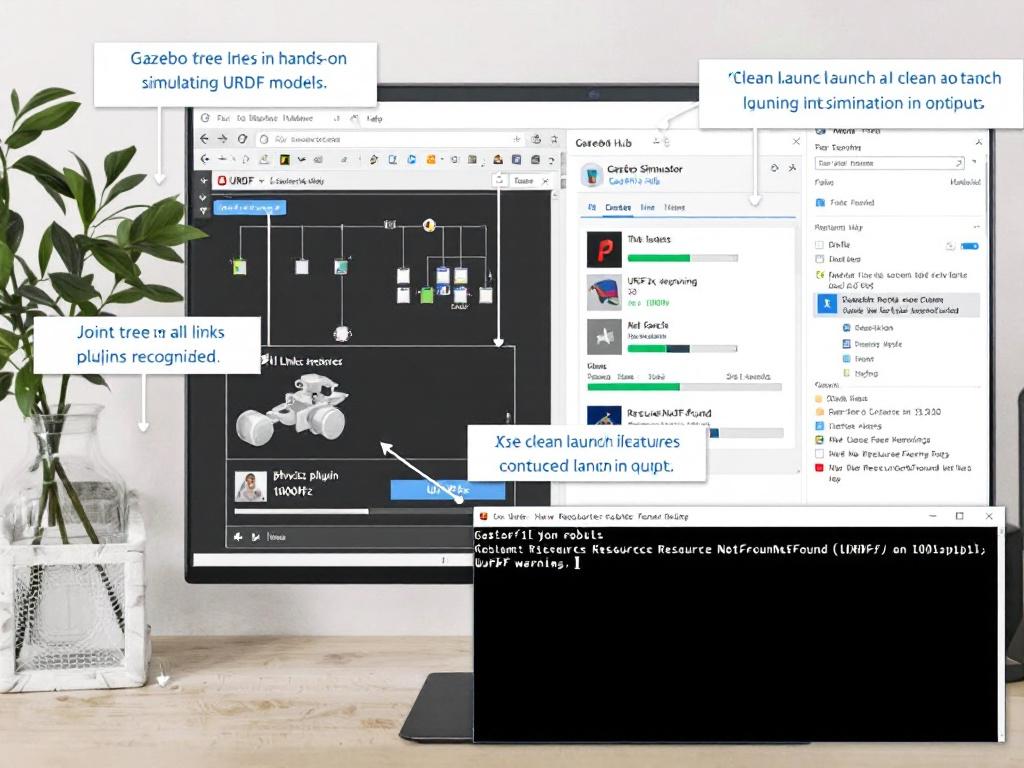
Watch the terminal. A clean launch prints Spawned entity: my_robot, loads the controller manager, and reports zero ResourceNotFound warnings. If you see mesh-loading errors at this stage, your GAZEBO_MODEL_PATH is unset or your package paths are misconfigured — fix that before continuing.
Step 4 — Test Joint Movement
For a manipulator, publish a joint trajectory:
ros2 topic pub --once /joint_trajectory_controller/joint_trajectory \
  trajectory_msgs/msg/JointTrajectory \
  "{joint_names: ['shoulder_pan_joint'], points: [{positions: [0.5], time_from_start: {sec: 2}}]}"
For a mobile base, command a velocity:
ros2 topic pub /cmd_vel geometry_msgs/Twist "{linear: {x: 0.1}}"
If the topic publishes but the robot doesn't move, the controller manager namespace doesn't match what the launch file expects. This is the most common Step 4 failure.
Step 5 — Validate Physics
Drop the robot from 0.5m and confirm it lands without penetrating the ground plane. Send joint commands that exceed limits — the robot should stop at the limit, not pass through it. The validation benchmark is the IEEE 1872-2015 2% inertia tolerance: if your robot's settling behavior under gravity matches the real hardware's, your physics parameters are likely correct. If it bounces, jitters, or sinks, the inertia or contact parameters are wrong.
If your URDF launches without warnings and joint commands move the robot, you've already passed 80% of what breaks in community models.
How Verified Models Prevent the Three Failures That Break Gazebo Simulations
Most simulation debugging time concentrates in three categories. Each has a measurable failure rate in unverified models, a specific technical root cause, and a clear prevention pattern in models that go through verification before publication.
Mesh Path Resolution Failures
- Problem: Your URDF references
package://robot_description/meshes/gripper.stl, but the file is missing, renamed, or behind a broken XACROfinddirective.gazebo_ros2_controlfails to spawn the entity. The terminal floods withResourceNotFoundwarnings. - Why it happens: The MIT CSAIL analysis cited earlier found that the majority of GitHub URDFs ship with broken or relative paths. When
package://resolves against a workspace that exists on the original author's machine but not yours, the launch dies before the physics engine ever loads geometry. - How verification prevents it: Pre-tested models normalize paths to standard ROS 2 package structure. Mesh loading is confirmed inside Gazebo against the published package layout — not against the author's local environment.
Inertia Tensor and Joint Limit Mismatches
- Problem:
<inertia ixx="..." />values are approximated rather than computed from CAD. Jointeffortandvelocitylimits don't match manufacturer datasheets. The simulation runs but the dynamics are wrong. - Why it happens: Authoring correct inertia requires either CAD integration or non-trivial calculation. Hand-authored URDFs routinely violate the IEEE 1872-2015 2% tolerance. The robot in simulation has different mass distribution than the robot on the bench, and your RL policy learns the wrong one.
- How verification prevents it: Verified models cross-check inertia against CAD source and match joint limits to manufacturer hardware specs. Combined with the Abbeel finding on the 40% sim-to-real gap reduction, this category of fix has the highest return on time invested.
ROS 2 Distribution Incompatibility
- Problem: Launch files written for Foxy fail in Humble. XACRO macros reference the deprecated
gazebo_ros_controlplugin instead ofgazebo_ros2_control. Controller YAMLs use outdated parameter names. Nothing about the URDF itself is broken — but the surrounding infrastructure no longer matches. - Why it happens: Only 63% of Foxy launch configurations work in Humble without modification. The ROS 2 ecosystem moves quickly, and community URDFs rarely get updated in lockstep with distribution releases.
- How verification prevents it: Launch files are tested across Humble, Iron, and Jazzy. XACRO variants are maintained per distro. The model you download in 2025 launches on the distro you actually run, not on the distro it was authored against in 2022.
These three categories account for the bulk of the 5.2-hour Berkeley average. Verification does not eliminate every simulation problem — sensor noise tuning, contact-rich manipulation, and soft-body interactions remain difficult regardless of how clean your URDF is. What verification eliminates is the predictable failure surface: the failures that you can know about in advance, and that someone else has already solved.
Gazebo vs. Isaac Sim vs. PyBullet vs. MuJoCo — Choosing the Right Robot Simulator
The gazebo robot simulator is not the only option, and it is not always the correct one. Picking the right simulator for your task matters as much as picking the right URDF.
| Simulator | Physics Engine | ROS 2 Integration | Rendering | Best Use Case |
|---|---|---|---|---|
| Gazebo (Harmonic) | Ignition Physics — 3.2% torque error vs. real UR5e | Native | Excellent | ROS 2 manipulation & mobile robots; academic research |
| NVIDIA Isaac Sim | PhysX | Via ROS bridge | Photorealistic | Vision-based RL, synthetic data, sim-to-real |
| PyBullet | Bullet | Via rclpy | Minimal | Massively parallel RL training, fast iteration |
| MuJoCo | Contact dynamics — 32% error on soft bodies | Via bridge | Minimal | Humanoid locomotion, contact-rich manipulation |
Gazebo's strength is native ROS 2 integration — no other simulator matches it for typical academic and industrial workflows. The Ignition Physics engine introduced with Gazebo Fortress and continued in Harmonic shows 3.2% torque error versus a physical UR5e, compared to 8.7% for legacy ODE in Gazebo Classic, according to a 2023 RSS conference paper. That delta closes most of the practical gap with MuJoCo for manipulation tasks. If your project lives inside ROS 2 and your manipulator is a standard arm, Gazebo Harmonic is the default correct answer.
Isaac Sim is the correct choice when you are training vision-based RL policies that must transfer to real cameras. PhysX is competent, but the reason you reach for Isaac is its photorealistic rendering — domain randomization on top of physically plausible lighting and materials makes the synthetic-to-real transfer for perception models far more tractable than Gazebo's renderer allows. The cost is a steep learning curve and a hard NVIDIA GPU requirement.
PyBullet is correct when fidelity matters less than throughput. Training a locomotion policy with PPO across 4,096 parallel environments? You don't need rendering. You need a simulator that runs headless, vectorizes cleanly, and steps forward in milliseconds. PyBullet does this well; Gazebo does not.
MuJoCo's reputation in contact-rich tasks is earned — but even MuJoCo has limits. An MIT CSAIL technical report documented up to 32% error in grasping simulations involving deformable objects, a reminder that no current simulator handles soft bodies reliably. Rodney Brooks summarized the broader skepticism on his blog: no simulator captures unmodeled physics perfectly, and teams that become overconfident in simulation results often fail when transferring to physical robots.
The verified URDF advantage cuts across all four simulators. The same model — if its URDF is clean, its inertia is right, and its joint limits match hardware — runs across Gazebo, Isaac Sim (via URDF importer), PyBullet, and MuJoCo (via MJCF conversion). Switching simulators as your project evolves does not require re-engineering the robot description. That portability is the single most underrated benefit of starting with a verified model rather than a hand-rolled one.
Expert Perspectives on URDF Verification and Simulation Fidelity
The case for verification is not an industry talking point. It is what working researchers have been saying for years, and it shows up consistently across academic and engineering perspectives.
- Dr. Pieter Abbeel, Professor at UC Berkeley: "The fidelity gap between simulation and reality remains the largest bottleneck in robotics research. Verified URDF models that include accurate inertia tensors and friction coefficients can reduce this gap by up to 40%, but most community models lack these critical physics parameters." Abbeel's argument is quantitative — verification is not aesthetic, it is measurable. A model whose inertia is documented and matches CAD is a model whose policy you can deploy with reasonable confidence on hardware. URDF Hub publishes inertia validation reports with each model, addressing exactly the parameter gap Abbeel describes.
- Dr. Stefanie Tellex, Associate Professor at Brown University: "I've seen students waste entire semesters debugging incorrect joint limits in URDF files that weren't validated against real hardware specs. The cost of 'free' models with unverified physics parameters often exceeds the time investment in creating proper models from scratch." Tellex's point is about the educational and time cost. The hours don't appear in any project ledger; they appear as delayed theses and quietly suspect results. Verified models with joint limits matched to manufacturer datasheets remove this entire failure surface.
- Dr. Julius Kammerl, former Open Robotics contributor: "The most common failure point isn't the URDF syntax itself — it's mismatched coordinate frames between the URDF and actual robot hardware. Verified models with documented frame conventions prevent the most insidious simulation errors." This is the technical-depth case. Frame mismatches don't cause launch failures. They cause subtle, hard-to-diagnose behavior where everything looks right and nothing works on hardware. Documented frame conventions in every model README — the standard URDF Hub format — eliminate this category.
- Dr. Rodney Brooks, former CTO of iRobot and Rethink Robotics: "No matter how verified your URDF model is, it will never capture the unmodeled physics of the real world. I've seen teams become overconfident in simulation results that completely failed when transferred to physical robots." Brooks is the necessary counter-voice. Verification reduces predictable failures. It does not substitute for hardware testing. A verified model gets you to a trustworthy baseline faster, but the baseline is still simulation — and simulation, however careful, has limits. The honest framing is that verification raises the floor of what you can trust, not the ceiling.
Your 30-Minute Gazebo Launch Checklist with Troubleshooting Reference
Execute this checklist top to bottom. If you reach step 9 without skipping ahead, you have a working simulation foundation in roughly thirty minutes.
- 1. Choose your verified robot model. UR5e, Franka Panda, TurtleBot3, Spot, or KUKA iiwa 14. Confirm license (MIT or Apache 2.0) matches your project requirements — both permit commercial use without copyleft obligations.
- 2. Verify your environment versions. Run
ros2 --versionand confirm Humble, Iron, or Jazzy. Rungazebo --versionand confirm Classic 11+ for Humble or Harmonic for Iron/Jazzy. Mismatched versions are the single most common cause of "it worked on someone else's machine." - 3. Download the model package. Place URDF, XACRO, mesh files, launch files, and controller YAML into your ROS 2 workspace
src/directory. - 4. Build the workspace. Run
colcon build --packages-select <robot_pkg>thensource install/setup.bash. Building a single package is faster thancolcon buildacross the entire workspace and isolates any package-specific errors. - 5. Launch the simulation. Execute
ros2 launch <robot_pkg> gazebo.launch.py. Watch for theSpawned entitysuccess message. If you see warnings about missing plugins or unresolved meshes, jump to the troubleshooting table. - 6. Test joint actuation. Publish a joint trajectory message and confirm motion in the Gazebo GUI matches the command. For mobile bases, publish to
/cmd_veland confirm the base moves. - 7. Validate physics behavior. Confirm gravity behaves correctly, joints stop at limits, and collision meshes prevent floor penetration.
- 8. Troubleshoot any failures using the table below.
- 9. Proceed to your actual work — sensor integration, RL training, manipulation planning, or hardware mirroring.
Troubleshooting Reference
| Error Message | Root Cause | Fix |
|---|---|---|
ResourceNotFound: model://... | Mesh path broken or GAZEBO_MODEL_PATH unset | export GAZEBO_MODEL_PATH=$GAZEBO_MODEL_PATH:~/ros2_ws/src/<robot_pkg> |
| Robot sinks through floor | gazebo_ros2_control plugin missing or collision geometry concave | Verify <plugin filename="libgazebo_ros2_control.so"> block in URDF |
| Joint commands publish but robot doesn't move | Controller manager namespace mismatch | Check controller_manager YAML matches launch file remappings |
| Physics divergence / jittering | Update rate below 1000Hz or inertia tensor invalid | Set <max_step_size>0.001</max_step_size> in world SDF |

Most failures cluster in the four rows above. The ResourceNotFound row covers everything from broken package:// directives to missing model paths in containerized setups. The sinking-robot row covers both missing plugins and concave collision meshes — both produce the same visible symptom but require different fixes. The unresponsive-joint row is almost always a namespace problem; check that the controller YAML, the launch file remappings, and the topic you're publishing to all agree on the same namespace. The jittering row is a physics-timestep problem; lower max_step_size and confirm your inertia tensors are non-degenerate.
Thirty minutes from download to running simulation isn't luck — it's the structural difference between a verified model and the typical GitHub find. This checklist is the proof.
Once the checklist completes, you have a validated foundation. Adding cameras, lidar, custom end-effectors, or sensor fusion stacks builds on top of a known-good base. The customizations are still work, but they are the work you wanted to do — the research work — rather than the work of fixing somebody else's broken mesh paths at 2 a.m. before a grant deadline.