How to Build a Robot in Simulation First: A ROS 2 + URDF Workflow
Before You Build a Robot, Build Its Description
You command a 6-DOF arm to a target pose. The inverse kinematics solver returns a solution with a sign flipped on joint 3. The Dynamixel servo drives past its mechanical hard stop, the current spikes, and the MOSFET on the driver board pops with a small puff of smoke that smells like burnt epoxy. Hardware cost: $400. Debug time: a weekend. The same bug, caught in Gazebo, would have surfaced as a joint-limit warning in the terminal and a corrected sign in your URDF — total elapsed time, under ten seconds.
This is why every experienced roboticist who hears the question how to build a robot answers it the same way: in simulation first. Not as a step before the "real" work — as the substrate the real work depends on. The global robotic simulator market is projected to grow from US$24.9B in 2024 to US$146.9B by 2033, a CAGR of roughly 21% according to Yahoo Finance's coverage of the ResearchAndMarkets forecast. Simulation-first is not a niche preference. It is the trajectory of the industry.
Here is how to build a robot the way professional roboticists actually do it — define it in URDF, validate it in a physics simulator, wire it into ROS 2, and only then commit to physical components.
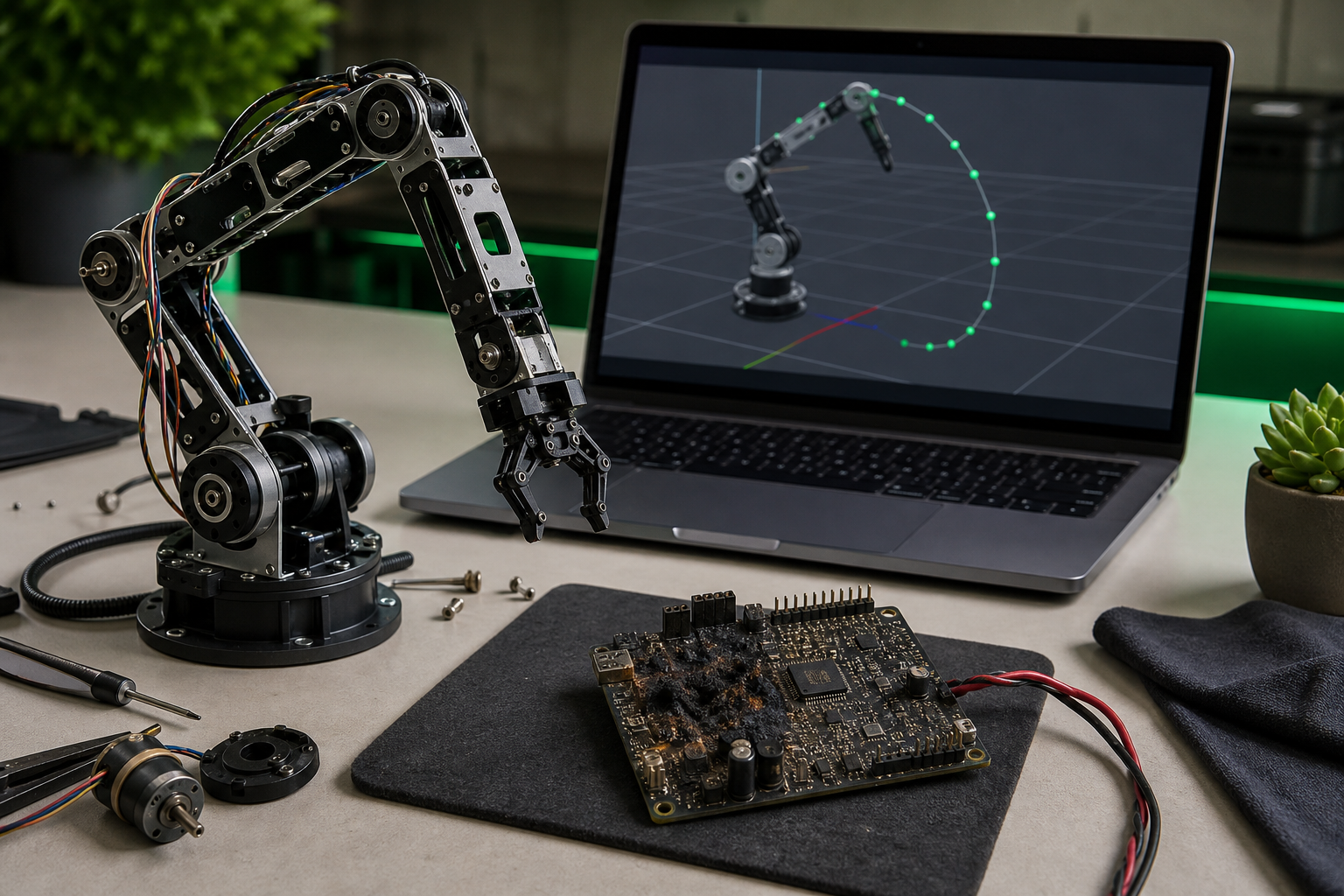
Table of Contents
- Before You Build a Robot, Build Its Description
- Three Ways to Get a Working URDF — and Why Two of Them Waste Your Week
- Links, Joints, and the Inertia Trap
- Gazebo, Isaac Sim, MuJoCo, or PyBullet: Matching a Simulator to Your Workflow
- From URDF to a Controllable Robot: The ROS 2 Plumbing Tutorials Skip
- What "Works in Simulation" Actually Means: Six Validation Tests
- The Simulation-First Build Checklist: 15 Gates
- Common Questions on the URDF + ROS 2 Workflow
Before You Build a Robot, Build Its Description
The Unified Robot Description Format is not documentation about your robot. It is your robot, as far as every motion planner, physics engine, and reinforcement-learning environment is concerned. The ROS URDF XML specification defines a robot as a tree of links and joints rooted at a single base link, with geometry expressed in meters and radians, and visual, collision, and inertial properties per link. Every downstream tool — MoveIt 2, Gazebo, Isaac Sim, PyBullet — reads this file and treats it as ground truth. If the file is wrong, the downstream tools are wrong. They will not correct your mistakes for you.
What breaks when the URDF is wrong is specific and repeatable. MoveIt 2 plans trajectories straight into self-collision when collision meshes are missing or scaled incorrectly. Gazebo and Isaac Sim produce unstable physics — robots that jitter on spawn, fly apart when contacted, or sink slowly through the ground plane — when inertia tensors are zero or set to the identity matrix. The official ROS tutorial on physical and collision properties flags both of these patterns as the most common URDF authoring mistakes. Reinforcement learning agents trained against a sloppy URDF learn policies that exploit physics artifacts — momentum tricks that work in Gazebo and collapse on real hardware. The CDC-linked technical review on the use of simulation in robotics calls out exactly this dynamic: simulators are critical to modern workflows, but model fidelity and validation remain unresolved barriers to safety-critical deployment.
Three components determine whether a URDF will simulate cleanly:
- Accurate inertia tensors. Each link needs an
<inertial>block with non-zero mass and a 3×3 inertia matrix computed about the center of mass. The arXiv paper Understanding URDF: A Dataset and Analysis audits a corpus of real-world URDFs and finds that many violate exactly this property — missing inertias, identity matrices used as placeholders, or values inconsistent with the link's geometry. The authors frame URDF as a "self-contained specification": every modeling detail downstream tools need must live in the file, because no tool reconstructs it for you. - Collision meshes separated from visual meshes. Visual geometry can be a high-poly STL or DAE for rendering. Collision geometry must be a simplified convex approximation — typically 10–100× lower polygon count. Mixing the two tanks simulation framerate and causes MoveIt collision checks to time out.
- Correct joint axis definitions. The
<axis xyz="..."/>tag defines rotation or translation axes in the parent link's frame. A flipped sign here inverts motion direction in every simulator simultaneously, and propagates through every IK solver downstream.
A URDF file is not documentation for your robot — it is your robot, as far as every simulation environment and motion planner is concerned.
XACRO sits one layer above URDF. It is an XML macro language that allows parameterization, file inclusion, and reusable macros. Practical use cases: a four-wheeled robot with identical wheel modules (define the wheel once, instantiate four times), a multi-configuration arm with optional grippers (toggle the gripper via a parameter), or any design where copy-pasting <link> blocks would create maintenance debt. When the wheel diameter changes, you edit one number instead of four blocks. Every URDF on a verified repository like URDF Hub ships in both URDF and XACRO form for this reason.
Three Ways to Get a Working URDF — and Why Two of Them Waste Your Week
The first practical decision in any how to build a robot workflow is sourcing the URDF. You have three paths.
Write from scratch. Full control, full responsibility. Appropriate when you are designing a genuinely novel mechanism — a compliant gripper with no commercial equivalent, a research-grade soft robot, a custom mobile base with unusual kinematics. Realistic time cost: 20–80 hours before the file loads cleanly into a simulator without warnings. Most of that time is not authoring XML; it is debugging inertia, fixing mesh paths, and reconciling joint axis conventions with whatever CAD tool exported the meshes.
Harvest from scattered GitHub repos. Fast on paper, slow in practice. The common failure modes are well-documented in community discussions and in the Understanding URDF dataset analysis: missing mesh files (paths reference packages that aren't in your workspace), inertia values exported directly from CAD without motor inertias added back in, joint limits that don't match the manufacturer datasheet, no ROS 2 launch files (only legacy ROS 1 versions), and ambiguous or absent licensing. A ROS Discourse thread on link inertia tests documents engineers spending entire afternoons reverse-engineering why a downloaded URDF flies apart in Gazebo, only to find motor rotor inertias were excluded from the CAD export.
Start from a verified repository. Peer-reviewed, pre-tested models with documented compatibility. This is where URDF Hub sits in the ecosystem: 50+ verified models — UR5e, Franka Panda, TurtleBot3, Spot, KUKA iiwa 14 — tested against Gazebo, Isaac Sim, PyBullet, and MuJoCo, with ROS 2 Humble, Iron, and Jazzy launch files included, licensed under MIT or Apache 2.0.
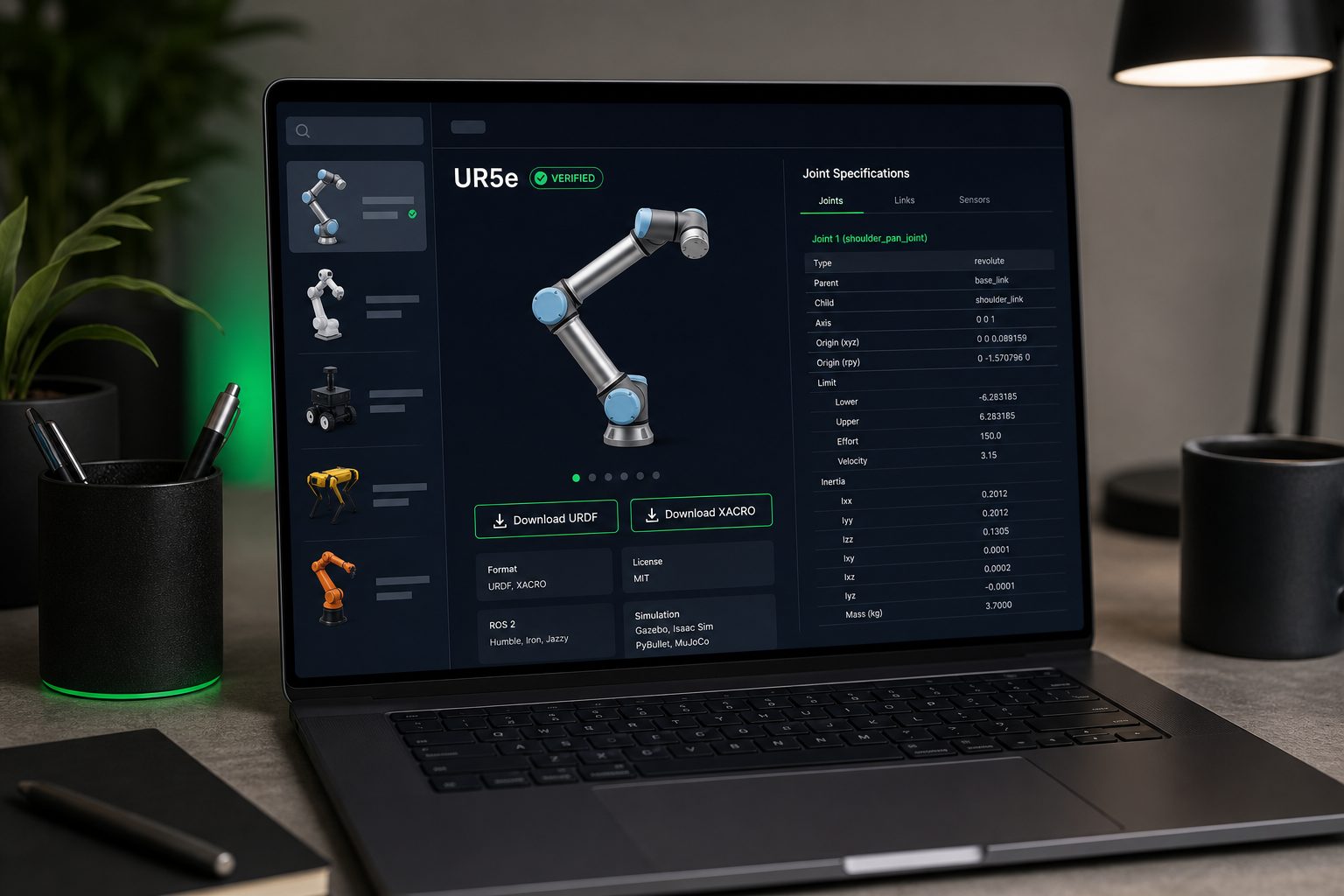
Whichever path you take, run this verification checklist before trusting any URDF you didn't author from scratch:
- Inertia tensor sanity. Every
<inertial>block has non-zero mass and an inertia matrix that is neither all zeros nor the identity matrix. Identity-matrix inertia is a red flag for placeholder values that were never replaced. - Collision mesh exists and is simplified. The collision STL or DAE should be a convex hull or primitive approximation, typically 10–100× lower polygon count than the visual mesh.
- Joint limits match the datasheet. Cross-reference
<limit lower upper effort velocity>against the manufacturer specification. A UR5e shoulder joint should have ±2π radians of range, not ±π/2. check_urdfpasses with zero errors. The standard ROS tool parses the URDF and verifies tree structure. If it fails, no downstream tool will work.- Compatible launch files exist for your ROS 2 distro. Verify launch files reference
ros_gz_sim(Fortress/Harmonic) andros2_controlsyntax, not legacygazebo_rosROS 1 patterns. - License permits your use case. MIT and Apache 2.0 are permissive for commercial and research use; GPL variants impose copyleft obligations that may conflict with downstream commercialization.
Each of these checks corresponds to a class of failure that costs hours when caught at simulator runtime and days when caught on hardware. The point of starting from a verified repository is that the first six items collapse from a half-day audit into a single download.
Links, Joints, and the Inertia Trap
URDF authoring is a structural-engineering exercise expressed in XML. Get the structure right and everything downstream behaves; get it wrong and every simulator produces a different flavor of garbage from the same input.
Mental model: the directed graph rooted at base_link. Every URDF is a tree. One root link, conventionally base_link. Every other link connected to its parent through exactly one joint. No cycles, no orphans. Mobile robots often add a base_footprint link offset to the ground plane for compatibility with the ROS 2 navigation stack — base_footprint becomes the root, with base_link as its child offset upward by the wheel radius. The URDF XML specification is unambiguous on this: parallel mechanisms, closed kinematic chains, and any structure that requires more than one path from root to leaf cannot be expressed in URDF natively. Workarounds exist (mimic joints, post-hoc constraint enforcement in the simulator) but they break the tree assumption that downstream tools depend on.
Joint type decision guide. Picking the wrong joint type is one of the highest-cost authoring mistakes because the symptoms surface late and look like physics bugs:
revolute— rotation around an axis with finite limits. Use for any arm joint with a mechanical hard stop. If you usecontinuousinstead, joint limits are silently ignored and the simulator allows infinite rotation.continuous— rotation around an axis with no limits. Use for wheels. If you userevolutewith arbitrarily large limits, MoveIt 2 will still try to enforce them and reject valid IK solutions.prismatic— linear translation along an axis with limits. Use for linear actuators and gripper fingers.fixed— rigid attachment, no DOF. Use for sensors bolted to a link. Usingrevolutewith zero limits instead causesros2_controlto spawn unnecessary controllers that consume CPU.
The inertia tensor problem. Most hand-written URDFs use placeholder values — 1.0 on the diagonal, zeros off-diagonal — and the physics looks fine for slow motion. Then you command a trajectory at moderate speed and the robot explodes. The fix is real inertia data extracted from CAD:
- Fusion 360 — Inspect → Section Analysis → Physical Properties.
- SolidWorks — Mass Properties tool.
- FreeCAD — Part Workbench → Measure → Principal Properties.
Each reports mass, center of mass, and principal moments of inertia. Convert the principal moments into a full 3×3 tensor expressed in the URDF link frame. For prototyping primitives, geometric formulas suffice. A uniform solid cylinder of mass m, radius r, height h has Ixx = Iyy = (1/12)m(3r² + h²) and Izz = (1/2)mr². A uniform box of dimensions x, y, z has Ixx = (1/12)m(y² + z²) and so on. Use these for initial bring-up, then replace with CAD-derived values before validation.
Collision mesh best practice. The visual mesh and the collision mesh serve different consumers. The renderer draws the visual mesh and benefits from 50,000-triangle detail. The physics engine queries the collision mesh thousands of times per second and chokes on that polygon count. A 50,000-triangle visual mesh used as collision will drop Gazebo from 60 FPS to 5 FPS and cause MoveIt collision checks to time out. Generate convex hulls with MeshLab (Filters → Remeshing → Convex Hull) for convex shapes, or V-HACD for non-convex shapes that require approximate convex decomposition. The collision mesh for a robot link is typically 200–2,000 triangles.
XACRO macros for repeated structures. A four-wheeled differential-drive robot without XACRO requires the wheel link, joint, inertia, collision, and visual blocks written four times. Any change requires four edits, and the probability of an inconsistency between them approaches one. With XACRO, you define a wheel macro with parameters (position, name suffix) and instantiate it four times. Error surface area drops by roughly 75%, and design changes become single-edit operations.
Mandatory validation before loading into any simulator. Two commands take under 30 seconds combined and catch roughly 80% of structural errors:
check_urdf my_robot.urdf— parses the XML, verifies tree structure, reports missing tags.urdf_to_graphviz my_robot.urdf— generates a PDF of the link-joint tree so you can visually confirm parent-child relationships match your intent.
Skipping these is the most common reason an engineer spends an hour debugging "why won't this load in Gazebo" only to find a typo in a <parent link> reference.

Gazebo, Isaac Sim, MuJoCo, or PyBullet: Matching a Simulator to Your Workflow
Four open and semi-open simulators dominate ROS 2 robot simulation. The decision among them comes down to four variables: ROS 2 integration depth, physics fidelity requirements, hardware constraints, and primary use case.
| Simulator | ROS 2 Integration | Physics Fidelity | GPU Required | Primary Use Case |
|---|---|---|---|---|
| Gazebo (Fortress/Harmonic) | Native via ros_gz_bridge |
Medium | No | ROS 2 dev, education, mobile robotics |
| NVIDIA Isaac Sim | Bridge (Humble, Jazzy) | High | Yes (RTX-class) | Photorealistic sensor sim, industrial |
| MuJoCo | Third-party bridges | Very High (contact-rich) | No | RL training, manipulation benchmarks |
| PyBullet | Python bindings | Medium | No | Python-first RL, rapid prototyping |
Gazebo is the default for ROS 2 because the integration is native. The Gazebo Fortress ROS 2 integration tutorial documents the standard pattern: robot_state_publisher plus ros_gz_bridge maps Gazebo joint states directly to ROS 2 topics and TF, with no glue code beyond the bridge YAML. Contact physics in Gazebo are adequate for mobile robots, navigation work, and basic manipulation, but coarser than MuJoCo for friction-heavy or impact-heavy tasks. If you are doing ROS 2 development and education and your robot does not need sub-millimeter contact accuracy, Gazebo is the correct first choice.
NVIDIA Isaac Sim dominates when you need photorealistic camera or LiDAR simulation. RTX ray tracing produces sensor data that narrows the sim-to-real gap for perception models — the visible difference between a Gazebo camera and an Isaac Sim camera, for the same scene, is striking. The Isaac Sim ROS 2 installation documentation confirms support for ROS 2 Humble and Jazzy on recent Ubuntu releases. The costs are real: a mandatory RTX-class GPU, a larger installation footprint, and a bridge-based integration rather than native. For perception research, industrial digital twins, and synthetic data generation, those costs are usually worth paying.
MuJoCo is the reference physics engine for reinforcement learning research. Contact-rich benchmarks — robotic assembly, in-hand manipulation, dexterous grasping — use it because the contact solver is more accurate than Gazebo's default ODE or Bullet backends. The MuJoCo RL environments benchmarking paper demonstrates this with Franka Panda manipulation tasks where contact fidelity directly determines whether learned policies transfer. The trade-off: ROS 2 integration is community-maintained, not first-party. If your workflow is RL-research-first and ROS-development-second, MuJoCo's fidelity advantage usually outweighs the integration friction.
PyBullet remains relevant for Python-first workflows: gradient-based optimization, RL prototyping, lightweight CI testing of controllers. The ROS–PyBullet interface framework and the Robotics Knowledgebase simulator guide both position PyBullet as the right choice when you want to call the simulator from a Python research loop without writing C++ plugins. The trade-off: limited photorealism, an indirect ROS 2 connection, and a smaller plugin ecosystem.
Choosing a simulator before verifying your URDF works in it is the robotics equivalent of writing deployment code before confirming your tests pass.
There is a hidden cost to choosing a simulator without checking URDF compatibility first: format mismatches (URDF vs. SDF vs. MJCF), missing plugins (legacy libgazebo_ros_* references that don't exist in Gazebo Fortress), and physics parameter differences (default damping, contact stiffness, solver iteration counts). Starting with a verified, pre-tested model — one already validated against all four simulators — eliminates this variable from the decision. You choose the simulator on its merits, not on whichever happens to load your URDF without crashing.
From URDF to a Controllable Robot: The ROS 2 Plumbing Tutorials Skip
Most tutorials show you the URDF and then jump to "now run your controller." The wiring in between — what publishes joint states, what consumes them, what sends commands, what tracks transforms — is the part that breaks most often and is documented least clearly. Here is the exact sequence.
Step 1: Launch robot_state_publisher with the URDF
robot_state_publisher takes the URDF (as the robot_description parameter) and a stream of /joint_states messages, computes forward kinematics, and publishes the full transform tree on /tf and /tf_static. Every other ROS 2 tool — RViz2, MoveIt 2, Nav2, your custom perception node — reads transforms from /tf. Without robot_state_publisher, nothing knows where the links are.
In a launch file, you pass the URDF as a string. If you authored in XACRO, you first expand it: xacro.process_file('path/to/robot.xacro').toxml(), then hand the result to robot_state_publisher as the robot_description parameter. The official ROS 2 tutorial on using URDF with robot_state_publisher walks through this for Humble; the pattern is identical for Iron and Jazzy.
Step 2: Choose between joint_state_publisher and joint_state_publisher_gui
For testing TF without a simulator running, two options exist:
joint_state_publisherpublishes neutral joint states. Useful for "does my URDF look right in RViz2" checks before any physics is involved.joint_state_publisher_guidoes the same, but with a slider window for manually moving each joint. This is the fastest way to visually verify joint axes and limits during URDF authoring. Drag a slider, watch the link rotate in RViz2 — if it goes the wrong way, your<axis>sign is wrong.
In production simulation, neither runs. ros2_control or the simulator's plugin publishes joint states from simulated or real hardware.
Step 3: Configure ros2_control for actuation
ros2_control defines a controller manager that loads hardware interfaces and controllers from a YAML configuration. The ros2_control controller manager documentation defines the canonical structure, and the getting-started guide provides end-to-end examples.
Three concepts matter:
- Hardware interface types —
position,velocity,effort. This is what the controller commands the hardware in. - Common controllers —
joint_state_broadcaster(publishes state from the hardware),joint_trajectory_controller(executes time-parameterized trajectories — this is what MoveIt 2 sends),effort_controllersandvelocity_controllersfor lower-level direct control. - Update rate — typically 100–500 Hz, set on the controller manager. Too low and trajectory tracking is jerky; too high and the simulator can't keep up.
The YAML pattern is a controller_manager ros parameters block defining the update rate, followed by one block per controller specifying joint names and interface types. The joint names in the YAML must match the joint names in the URDF exactly — any mismatch and the controller will load but report inactive and refuse to operate.
Step 4: Build the ROS 2 launch file
The standard Python launch file (launch.py) does five things in sequence:
- Loads and expands the XACRO/URDF.
- Starts
robot_state_publisherwith the expanded URDF. - Spawns the robot into the simulator —
ros_gz_sim spawnfor Gazebo Fortress/Harmonic. - Loads the
ros2_controlcontroller manager. - Spawns each controller via
controller_manager/spawner.
This is the exact pattern URDF Hub's included launch files follow. If you start from a verified model, the launch file becomes a template you adapt rather than a structure you architect from scratch.
![Split-screen capture. Left: a tmux pane showing ros2 launch output with robot_state_publisher and controllers all reporting [INFO] ready status. Right: RViz2 rendering a UR5e URDF with the joint_state_publisher_gui slider window overlaid in the corne](https://washtub.s3.eu-central-1.amazonaws.com/cmqhdnyti000304l2mkex8u9u/photo-3.png)
Step 5: Verify the full graph before touching control inputs
Before sending a single trajectory command, confirm the graph is wired correctly:
ros2 topic list— confirm/joint_states,/tf,/tf_static, and controller command topics are present.ros2 control list_controllers— confirm all controllers are loaded andactive, notinactiveorunconfigured.rqt_robot_monitor— visual check of all running nodes and topic health.rviz2withRobotModelandTFdisplays — confirm the robot renders correctly and the transforms are coherent.
Common failure modes have predictable causes. TF errors at startup usually mean robot_state_publisher received a malformed URDF — re-run check_urdf. A controller "stuck in inactive" usually means the YAML controller config references joint names that don't match the URDF — diff them character-by-character. "No transform from X to Y" usually means a fixed joint is missing between two frames you assumed were connected.
What "Works in Simulation" Actually Means: Six Validation Tests Before You Order a Single Part
"It runs in Gazebo" is not validation. Validation is a defined protocol with pass/fail criteria, each mapped to a hardware failure mode it prevents. Run these six tests before you commit to mechanical design or order components.
- Kinematic reachability across the workspace. Use MoveIt 2 to compute IK solutions for a grid of target poses spanning your intended workspace. If MoveIt fails to find solutions for more than 5% of theoretically reachable poses, your URDF's joint limits or link lengths are wrong. Fix the description before committing to a mechanical design. The vocabulary for formalizing this comes from ISO 9283, which defines standardized point-to-point positioning and path-accuracy tests for industrial robots — fourteen performance characteristics in total, with prescribed test methods so vendors and users can quantify performance in comparable numerical terms.
- Joint limit enforcement. Send deliberate limit-violation commands — command joint 1 to its
upperlimit plus 0.5 rad. The simulator should refuse or saturate, not pass through the limit. If it passes through, your controller'scommand_interfaceis not enforcing limits and you will burn out a servo on hardware exactly the way the opening anecdote describes. Cross-reference the URDF's<limit>values against the manufacturer datasheet, not your memory of what they should be. - Collision self-intersection sweep. Use MoveIt's self-collision matrix generator to precompute which link pairs can collide, then run a configuration sweep — sampling joint values across their ranges — and verify no link penetrates another. This catches gripper-fingers-into-wrist, elbow-into-base, and similar geometry errors that cost real hardware. The MoveIt planning scene tutorial documents the standard sweep procedure.
- Controller step-response stability. Command a joint to a step target — +0.5 rad from current position — and record position over time. Measure overshoot (% above target), settling time (time to within 2% of target), and steady-state error. Tune PID gains in simulation until response meets your application's spec. Hardware tuning then refines, rather than discovers, the gains. A reasonable starting target for a small servo-driven joint: overshoot under 10%, settling time under 0.5 seconds, steady-state error under 0.01 rad.
- Sensor coverage validation. If your URDF includes a camera, depth sensor, or LiDAR, visualize the frustum or scan cone in RViz2 against your expected operating environment. A 60° field-of-view camera placed 30 cm behind a manipulator's wrist may not actually see the workspace you assumed. Use Isaac Sim's photorealistic rendering if perception fidelity matters; Gazebo's plugin sensors if geometric coverage alone is enough.
- Physics sanity check (drop test). Spawn the robot 1 cm above the ground plane with all joints relaxed. It should land and settle within roughly 2 seconds, not explode, sink through the floor, or oscillate indefinitely. Each failure mode points to a specific URDF defect: mass too low and the robot flies; collision geometry penetrating the ground and the robot is pushed into the air; damping wrong and joints oscillate without settling. The Understanding URDF dataset paper documents this class of error as one of the most common in real-world URDFs.
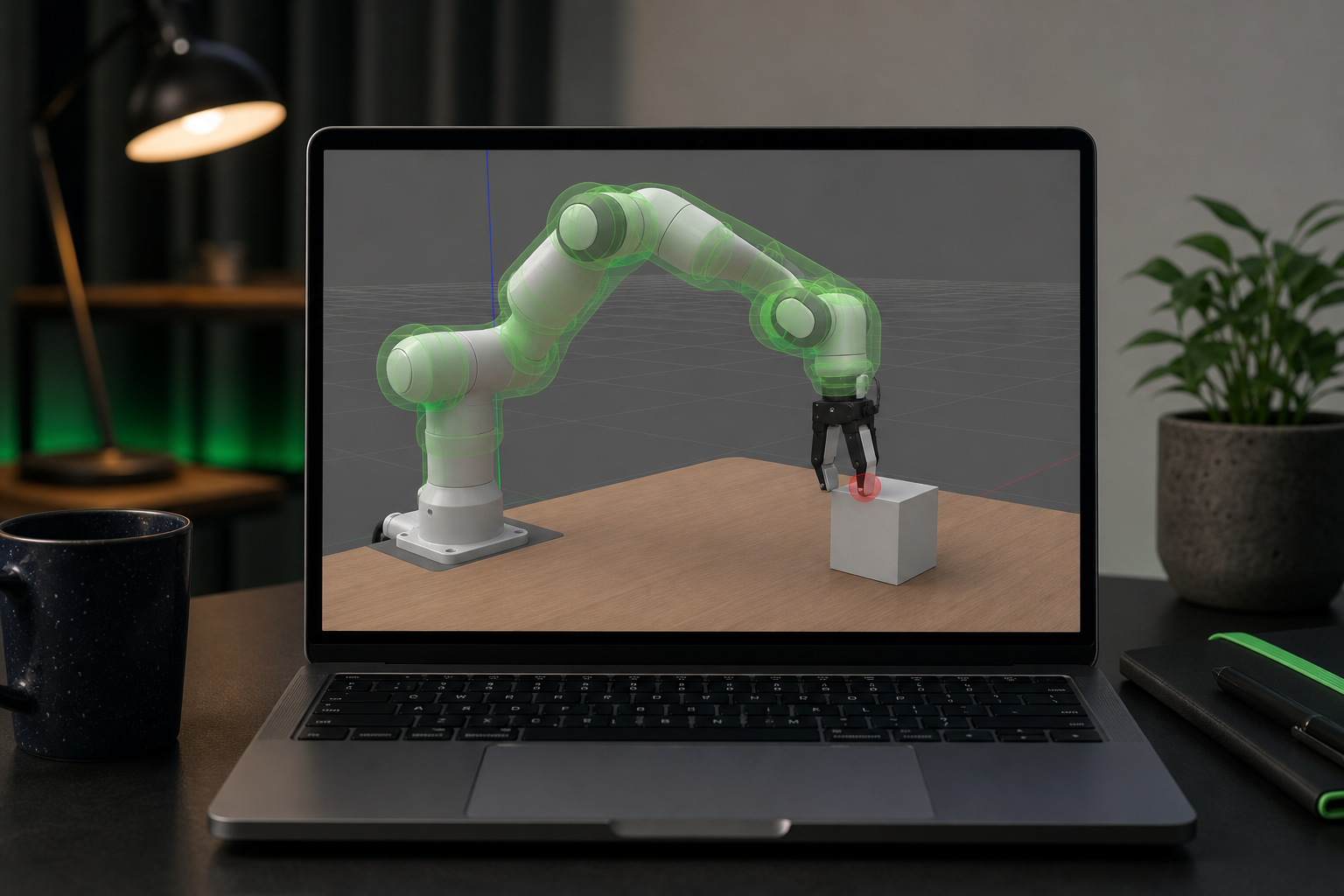
Every hour spent validating a robot in simulation is worth roughly ten hours of hardware debugging — not because simulation is perfect, but because its failures are free.
The reality gap is real. The survey The Reality Gap in Robotics: Challenges, Solutions, and Best Practices documents persistent gaps in friction modeling, actuator dynamics, and sensor noise. A fully validated simulated robot will still behave differently on hardware. The point is not that simulation eliminates hardware iteration. It is that simulation makes hardware iteration converge in days instead of weeks, because you arrive at the bench with a kinematic model that works, joint limits that match reality, and controllers tuned to within 80% of their final gains.
The Simulation-First Build Checklist: 15 Gates Before You Order a Single Component
Run this checklist top-to-bottom. Every item is a gate — fail one, and the next is unreliable. The investment is hours; the alternative is weeks of hardware debugging.
Phase 1: URDF Foundation
- 1. URDF authored or sourced from a verified repository — write from scratch only if no equivalent exists.
- 2.
check_urdfpasses with zero errors. - 3.
urdf_to_graphviztree matches your intended design — visual confirmation of parent-child relationships. - 4. Inertia tensors verified against CAD or geometric estimates — no zeros, no identity matrices.
- 5. Collision meshes are simplified convex approximations — 10–100× lower polygon count than visual meshes.
- 6. Joint limits cross-checked against design spec or manufacturer datasheet.
Phase 2: ROS 2 Integration
- 7. URDF loads and renders correctly in RViz2 using
joint_state_publisher_guito scrub all joints. - 8.
robot_state_publisherlaunches without TF errors — full transform tree visible in RViz2. - 9.
ros2_controlhardware interface and controllers configured and reportingactive. - 10. Launch file spawns robot, controllers, and
robot_state_publisherin one command.
Phase 3: Simulation Validation
- 11. Simulator of choice loads the robot without physics errors.
- 12. Kinematic reachability verified across intended workspace in MoveIt 2.
- 13. Joint limit enforcement confirmed via deliberate limit-violation tests.
- 14. Collision self-intersection sweep completed across configuration space.
- 15. Drop test passed — robot lands and settles within 2 seconds.

URDF Hub hosts 50+ verified, pre-tested robot models — UR5e for manipulation, TurtleBot3 for mobile navigation, Franka Panda for RL research, Spot for legged locomotion, KUKA iiwa 14 for industrial workflows. Each ships with collision meshes, joint limits, sensor configurations, and ROS 2 launch files validated against the checklist above. Start with a verified model and the first six gates collapse from days of work to a single download.
Common Questions on the URDF + ROS 2 Workflow
Can I use a URDF built for ROS 1 in a ROS 2 workflow?
The URDF format itself is ROS-version agnostic — the XML schema for links, joints, inertia, and meshes is identical between ROS 1 and ROS 2. What breaks is the surrounding infrastructure: launch files (ROS 1 uses .launch XML, ROS 2 uses .launch.py Python), Gazebo plugin namespaces (libgazebo_ros_* plugins are ROS 1 patterns; ROS 2 uses ros_gz_bridge and the Gazebo Fortress/Harmonic plugin set), and ros_control vs. ros2_control (different YAML schemas, different controller manager). Plan to keep the URDF intact, rewrite the launch file, and migrate the controller configuration.
How do I add a custom end-effector or sensor to an existing URDF?
Use XACRO's <xacro:include> and <xacro:macro> patterns to graft new links onto an existing robot description without modifying the upstream file. Create your own XACRO wrapper that includes the source URDF and appends your gripper or sensor via a fixed joint. This keeps upstream updates clean — when the source publishes a revised model, you pull the new version without losing your customizations. The pattern looks like: <xacro:include filename="$(find verified_robot_pkg)/urdf/robot.xacro"/> followed by your additional links and a fixed joint connecting them to a known frame on the source robot, typically the tool-mount link.
My robot works in simulation but behaves differently on real hardware. What's the gap?
Three primary sources, in order of typical impact. First, friction and contact modeling — simulators approximate Coulomb friction with parameters that rarely match reality, especially at low velocities. Second, actuator dynamics — real motors have torque ripple, backlash, gearbox compliance, and current limits that idealized simulator joints do not model. Third, sensor noise — simulator cameras and LiDARs produce clean data, while real sensors have noise, dropouts, and calibration drift. The reality-gap survey documents all three. Narrow the gap by adding noise models in simulation (Gazebo and Isaac Sim both support this), using domain randomization during RL training, and identifying actuator parameters empirically from hardware data once you have a physical prototype. Expect to spend roughly 10–20% of total project time on sim-to-real reconciliation; that ratio is far better than the 60–80% you would spend without simulation in the loop.